
Chapter 7
Sales pipeline (CRM)
The “Customers (CRM)” screen shows sales opportunities as cards across the selling stages: lead, contact, quotation, negotiation, won, lost. Each opportunity has a customer, an expected value and a close probability, and moves between stages in one click.
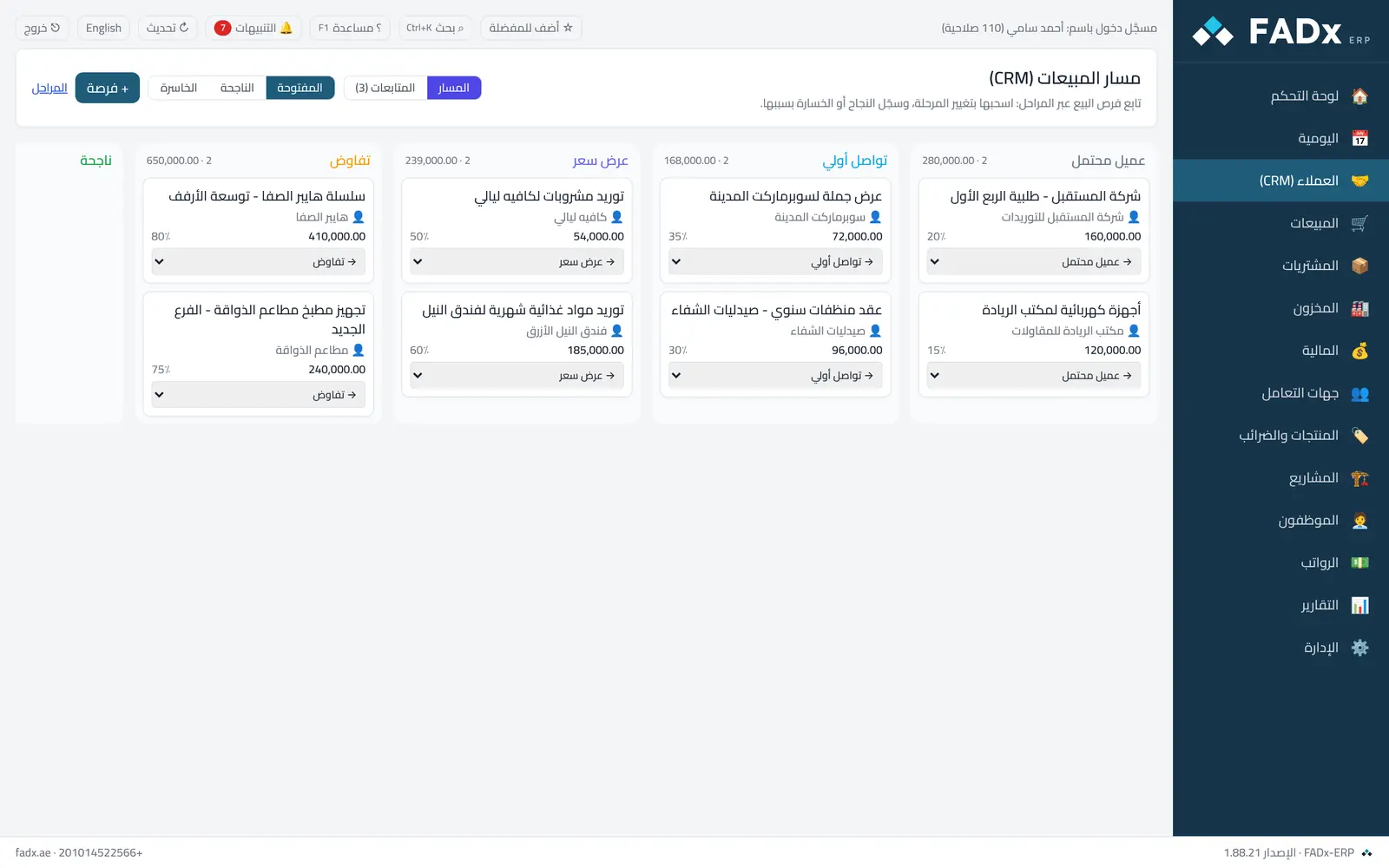
Common workflows
- 1
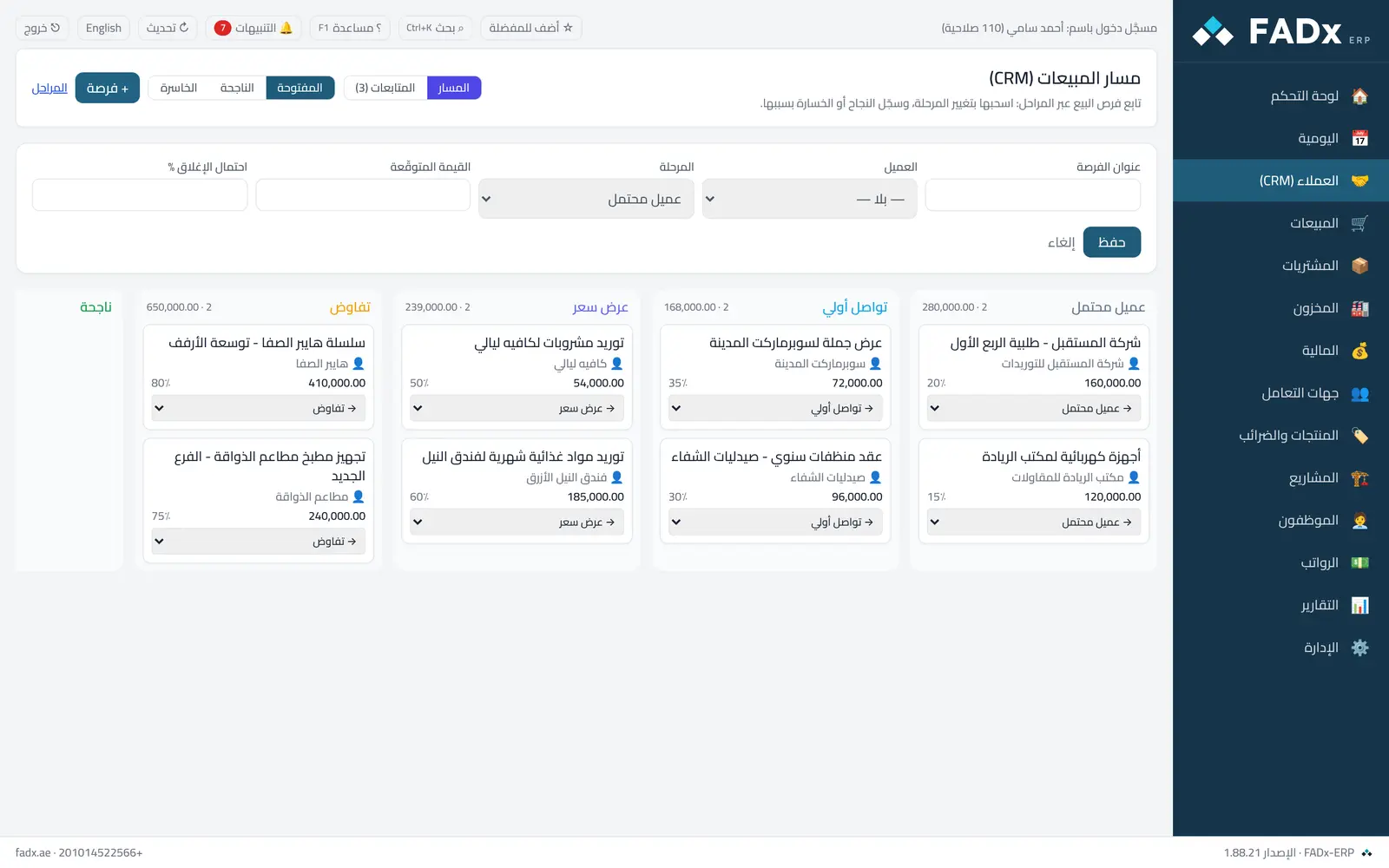
Add an opportunity
Press “Opportunity”, write the title, and pick the customer, expected value, close rate and stage.
- 2
Move the opportunity
From the list at the bottom of the card pick the next stage — or “won” / “lost”.
- 3
Record a loss with its reason
When moving to “lost”, the software asks for the reason so it appears later in the reasons report.
- 4
Edit the stages
The “Stages” button opens an editor for renaming, reordering and colour — one won stage and one lost stage.
Messages you may see — and what to do
- The opportunity title cannot be empty
Write a clear title for the opportunity before saving.
- A loss needs a reason
Write the loss reason when closing it as lost.
- The screen does not appear at all
The user lacks the crm.view permission — grant it from “Admin → Users and permissions”.
Question not covered here? Message us on WhatsApp and we will answer.
Ask on WhatsApp