
Chapter 20
Landed cost
Add shipment expenses (freight, customs, clearance, insurance) to the cost of the purchased items so no phantom margin appears. What is still in stock has its unit cost raised; what was sold before the voucher goes to cost of sales — and the entry posts in the same operation.
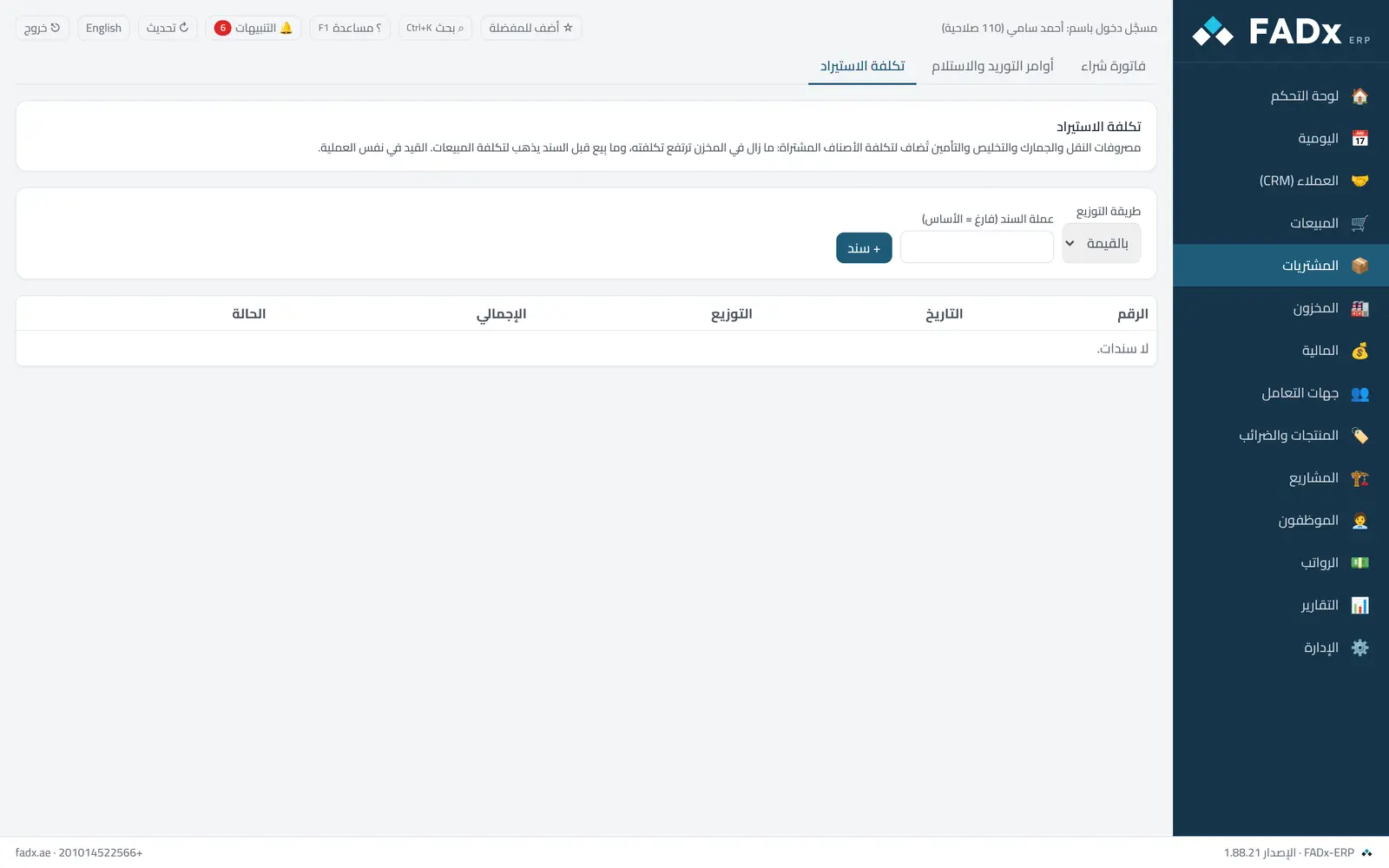
Common workflows
- 1
A new voucher
Pick the allocation method (value, quantity, weight or manual) and press "+ Voucher".
- 2
Lines and items
Add the expense lines with their accounts and amounts, then enter the purchase invoice number and pull in its lines.
- 3
Posting
Press "Post" — the voucher is recorded and costs rise. The full shipment cost report shows the final unit cost.
Messages you may see — and what to do
- "Not fully received"
Cost cannot be allocated to goods in transit — receive them first.
- "Link the inventory and cost-of-sales accounts"
Cost without an entry makes the valuation disagree with the ledger.
- "Manual allocations do not equal total expenses"
Manual allocation must cover the total to the last unit.
- Issuing items after posting
Cancelling it would change posted cost of sales — record a correcting voucher instead.
Question not covered here? Message us on WhatsApp and we will answer.
Ask on WhatsApp