
Chapter 30
Currencies & exchange rates
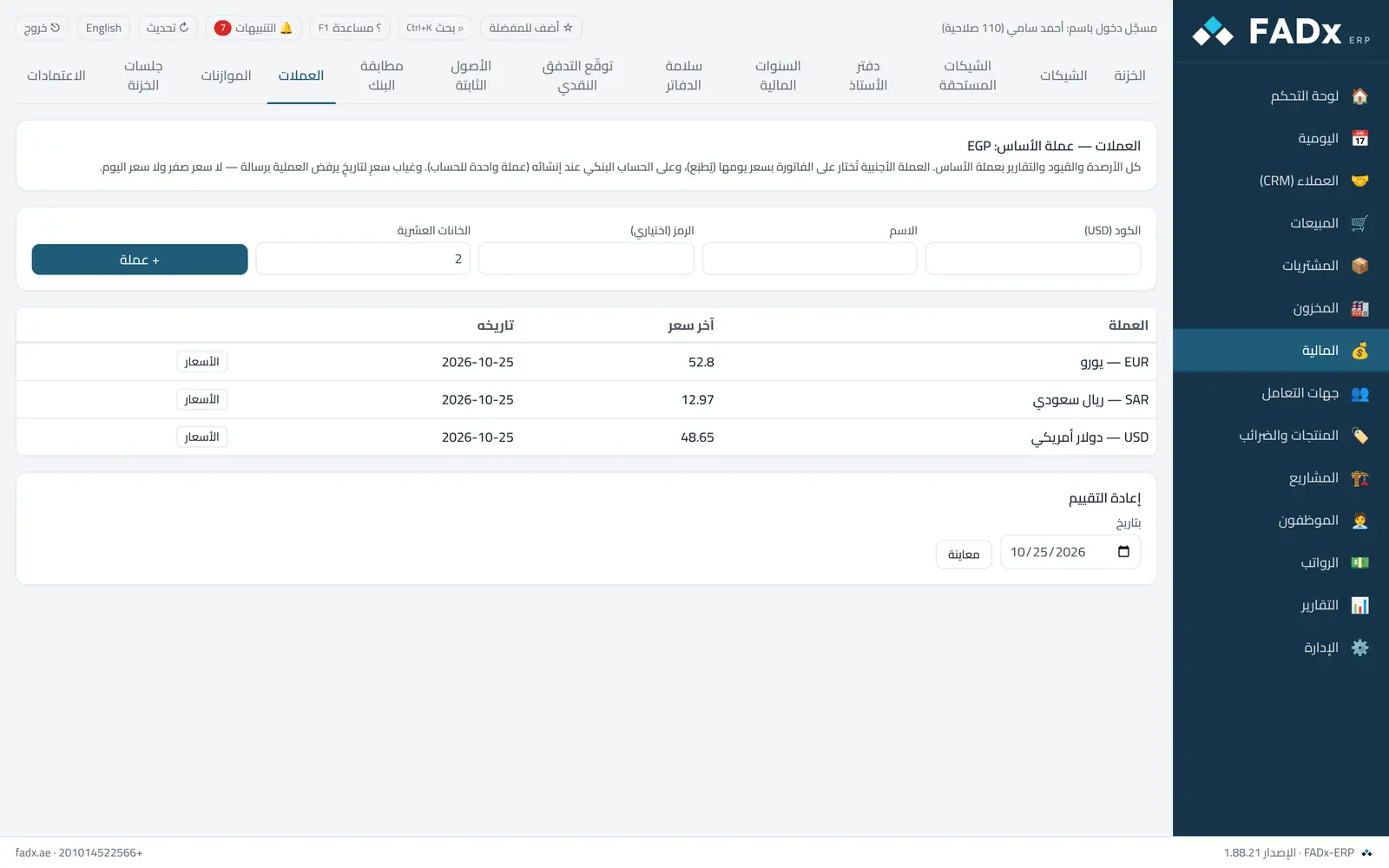
Define the foreign currencies you deal in and their dated exchange rates, and revalue foreign balances. All balances, entries and reports stay in the company base currency — a foreign currency is chosen on an invoice and on a bank account when it is created. A company with no foreign currencies sees no difference at all.
Common workflows
- 1
A currency and its rate
"+ Currency" (USD) → "Rates" → add today's rate (how much base currency per one dollar).
- 2
An invoice in dollars
On the sales or purchase screen pick the currency under the total → "Apply". The rate is fixed and printed on the invoice, with the dollar total beside it. On collection enter the dollar amount — the rate difference on the payment day posts as a realised exchange difference.
- 3
Month-end revaluation
Pick the date → "Preview" → "Record revaluation". Differences on foreign bank accounts are final; differences on open invoices reverse automatically the next day.
Messages you may see — and what to do
- "No USD rate on date…"
Add a rate for that day or earlier — zero is never assumed, nor today's rate.
- "Overriding the rate table needs permission"
A manual rate on an invoice needs the exchange-rate permission and is logged.
- "A EUR box cannot take a USD invoice payment"
Payment goes to an account in the invoice currency or the base currency.
- "Returns on foreign-currency invoices are not supported yet"
Fully reverse the invoice and re-issue it.
Question not covered here? Message us on WhatsApp and we will answer.
Ask on WhatsApp