
Chapter 15
Promotions & coupons
Create promotions that apply automatically on the sales invoice and the cashier screen: a percentage discount, a fixed amount per unit, a special price, or buy-X-get-Y — with start and end dates, specific days and hours, a minimum quantity or invoice value, limited to a price-list group, or unlocked by a coupon.
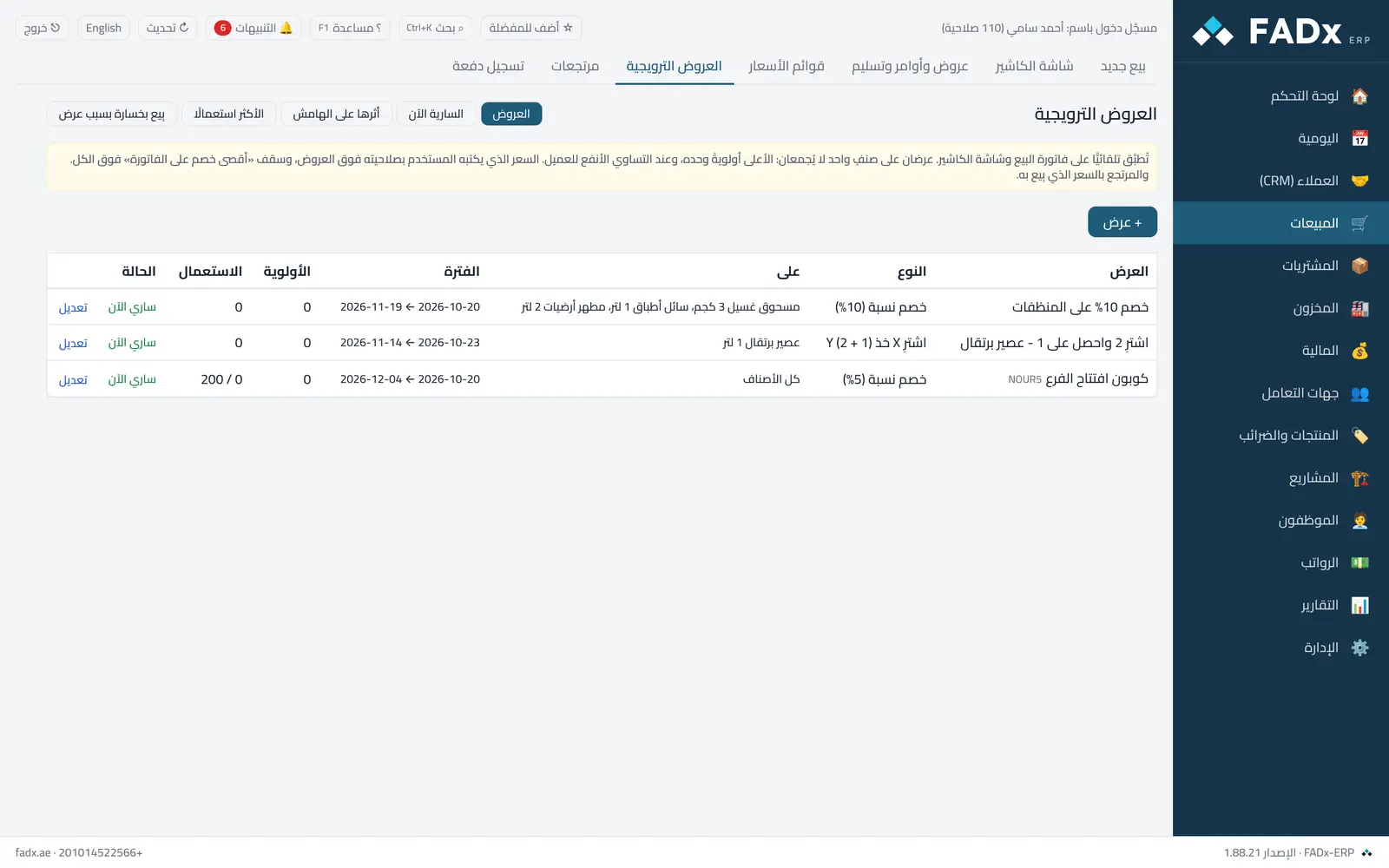
Two promotions on one item never stack: the higher priority applies alone, and on a tie the one better for the customer. A price typed by a permitted user overrides every promotion.
Common workflows
- 1
A weekend promotion
"+ Promotion" → percentage discount → the items → the days (Friday and Saturday) → save.
- 2
Buy 2 get 1
Type "buy X get Y" → X = 2 and Y = 1. The free line is a zero-price line that leaves stock at its real quantity, so cost and margin stay honest.
- 3
A coupon
Tick "requires a coupon", type the code and set a usage count. The cashier enters it with F9; the sales screen has a "coupon" field.
Messages you may see — and what to do
- "The promotion equals …% and the maximum allowed is …%"
The "maximum invoice discount" ceiling in settings overrides every promotion — raise it first if the promotion is intended.
- "The coupon is used up"
The promotion has reached its usage limit (counted when the invoice is approved).
- "The free line follows the promotion"
The free quantity is derived from the paid line — change the paid line, not the free one.
- Returns
Returns at the price actually sold (with the promotion), even after the promotion has ended.
Question not covered here? Message us on WhatsApp and we will answer.
Ask on WhatsApp