
Chapter 33
Approvals
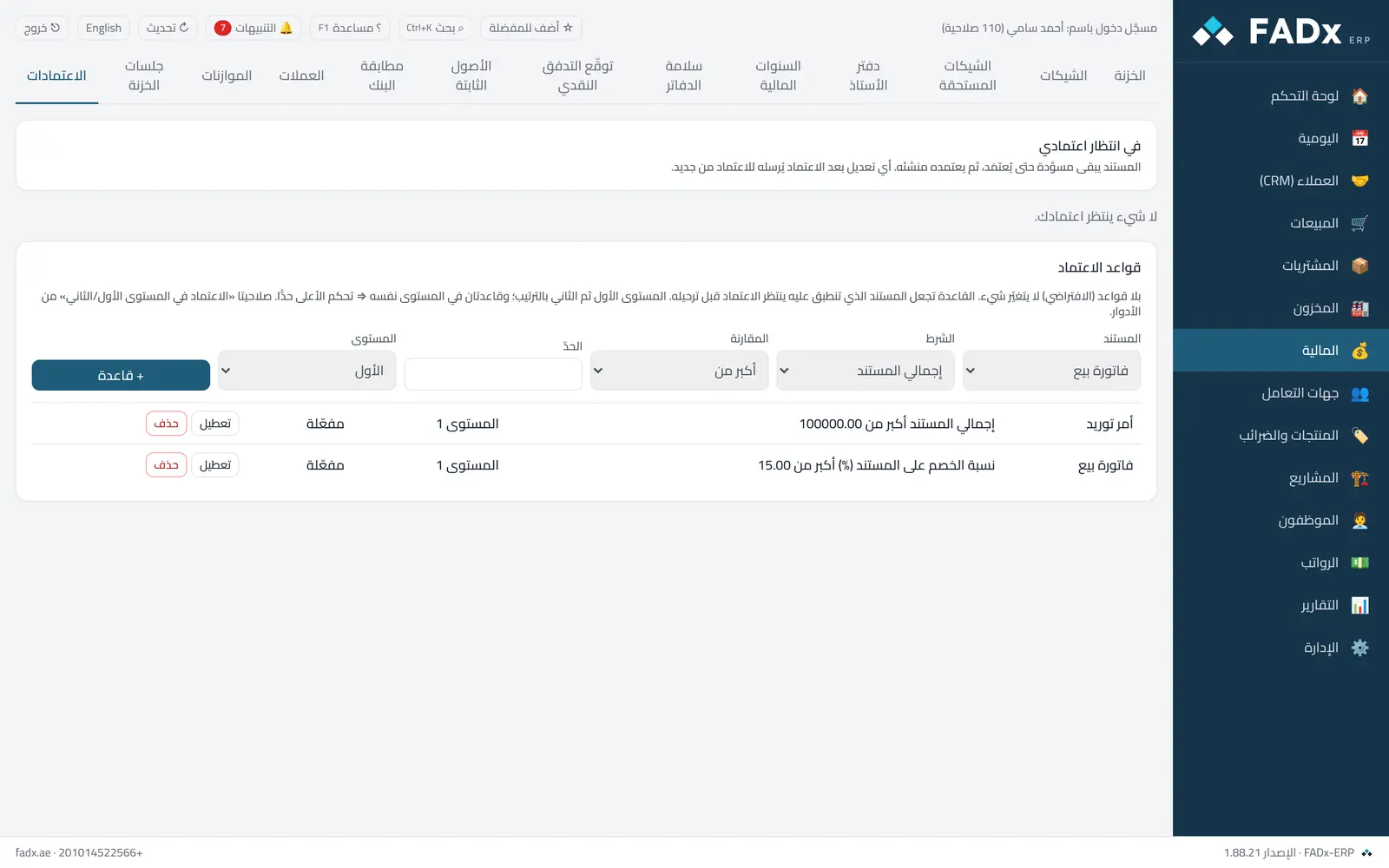
See what awaits your approval (a sales or purchase invoice, a sales or purchase order, a manual entry) to approve or reject with a written reason. For anyone with the approval-rules permission: the rules themselves — when a document needs approval (amount, discount percentage, below-cost sale) and at which level. **With no rules (the default) nothing changes:** every document approves directly, as before.
Common workflows
- 1
Approve a document
"Approve" on its row ⇒ if it has a second level it moves to that approver, otherwise the originator is notified to approve their document.
- 2
Reject with a reason
"Reject" and write the reason ⇒ it reaches the originator in the bell; they amend the document, approve it, and it is sent for approval again.
- 3
A new rule
Pick the document, the condition, the threshold and the level, then "+ Rule". Disabling it restores the old behaviour at once, without deleting.
Messages you may see — and what to do
- "Requires approval — sent to the approver"
A rule applies to the document. It stays a draft with no number and no entry until approved.
- "Awaiting approval (level …)"
The approver at that level has not approved it yet.
- "The sender cannot approve their own document"
An originator cannot approve their own, and a first-level approver cannot approve the second level.
- Editing after approval
Approval applies to the document as the approver saw it; any later change sends it back for approval.
- "The condition does not apply"
Below-cost and discount-percentage conditions apply to sales and sales orders only.
Question not covered here? Message us on WhatsApp and we will answer.
Ask on WhatsApp