
FADx Salon in half a minute
Why FADx Salon?
Three problems every shop knows
Barber commission on paper
Every service is recorded under its barber, and the commission is calculated the moment of sale. Settling up is one click.
A regular’s special price — forgotten
The software remembers the last price each client paid, and reminds you on their next visit.
The shampoo ran out, suddenly
The quantity sits beside every product, with an alert as it runs low and an “Add stock” button when you buy.
The sale
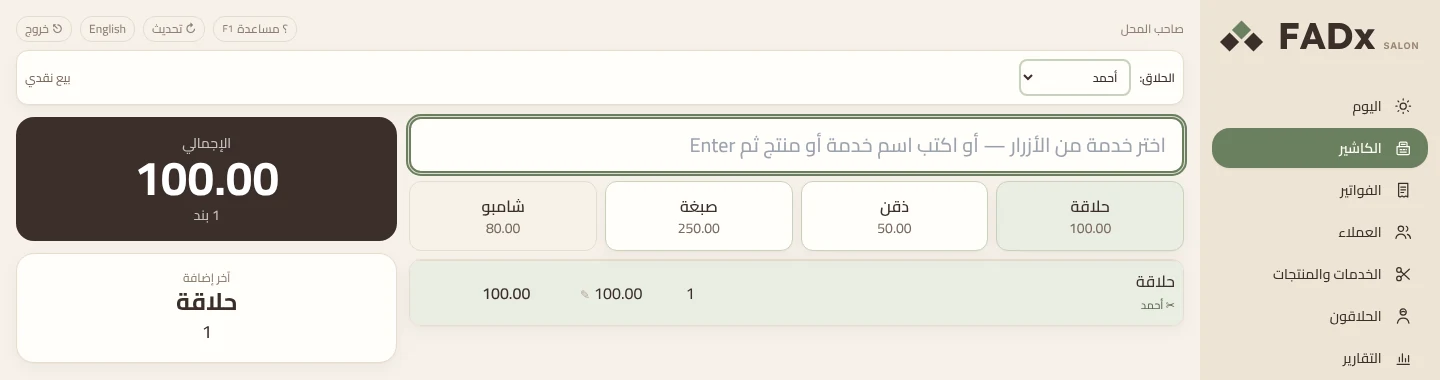
A haircut sale in four steps
No drawer to open, no session to start.
- 1
Pick the barber
- 2
Press the service button
- 3
Press F12 to take payment
- 4
Press Enter — the receipt prints or goes to WhatsApp
The cashier — four steps and done
Services are big buttons, and the barber is chosen once at the start of the sale. No drawer to open, no session to start.
- Two barbers on one client? F10 changes that line’s barber alone
- Edit a price with a click, percentage discount with F3
- The customer’s change shows in large type
- Credit sales for regulars, collected later
- “Wrong — void it” for a mistaken invoice, and F7 for product returns
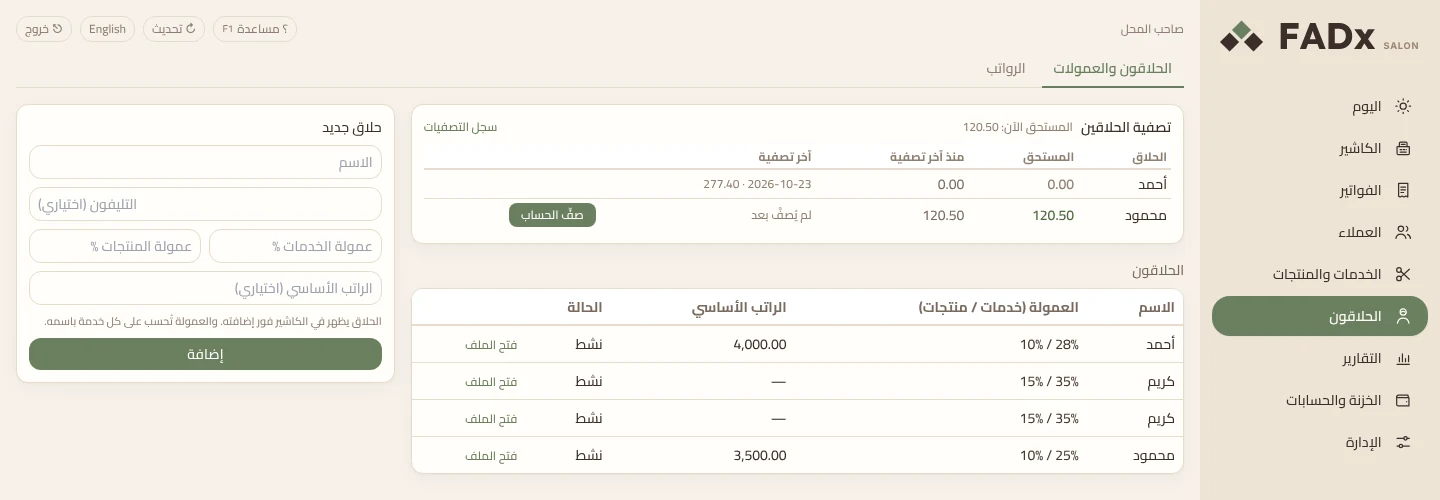
Barbers and commission — no paper, no calculator
Each barber has two rates — one on services, one on products — set in his own form. The commission is calculated the moment of sale.
- “Settle up” in one click: what is owed is visible, and the payout posts to the till
- Partial payouts allowed; never more than what is owed
- A printed commission statement: every invoice, service and commission — the barber checks it himself
- Salaries and advances in their place; an advance is deducted from the salary later
- An invoice voided after settlement? Its commission comes off the next one
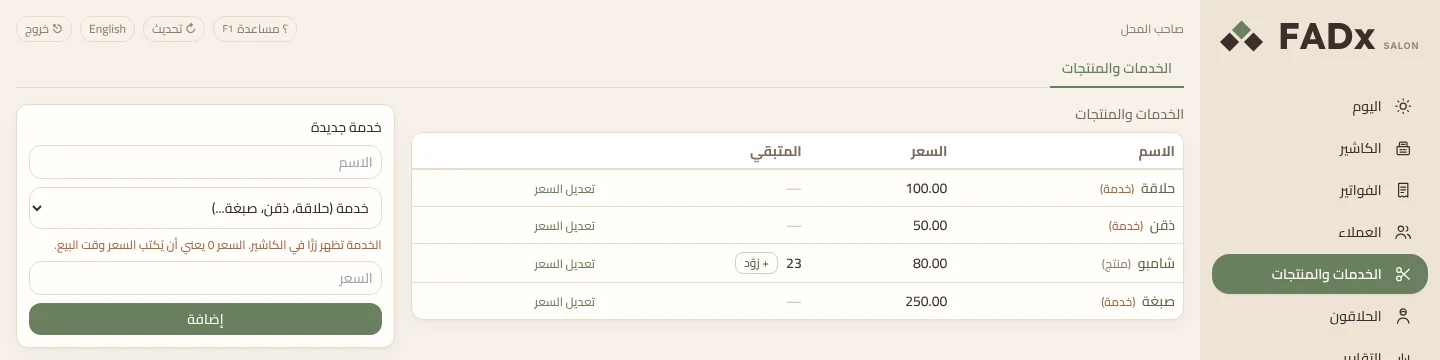
Services, products and stock
Everything the shop sells lives here: a service has no stock, a product has a quantity. A new service appears as a cashier button at once.
- The “remaining” column turns red at the reorder point
- “Add stock” on purchase: quantity and cost, so profit comes out right
- A zero price means the price is typed at sale time
- Every sale decrements stock automatically; every return puts it back
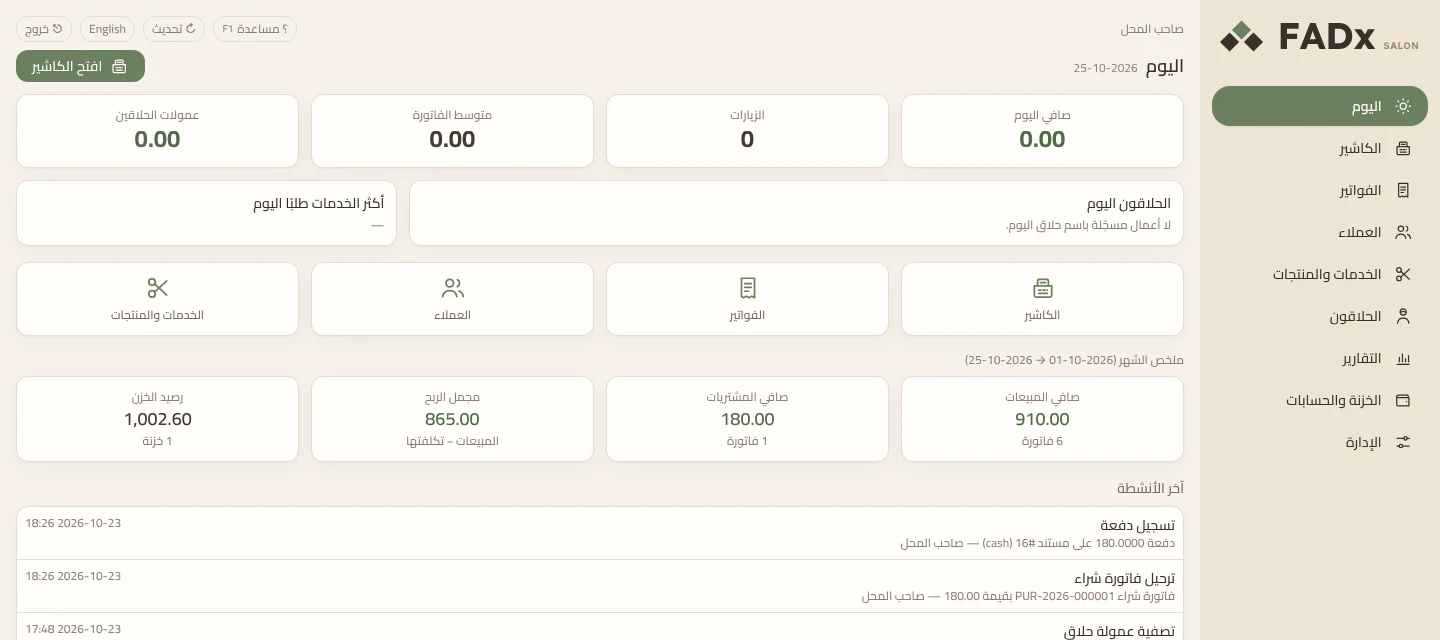
Your day on one screen
“Today” is the first thing you see: the day’s revenue, visits, average ticket, barber commissions and each barber’s work.
- The most requested services today, ranked
- An alert for products running low
- The month at a glance: net sales, purchases, gross profit and till balance
- Latest activity: what happened and who did it
The receipt on WhatsApp
After payment the client’s chat opens with the receipt written in it — you press send. A client without a number gets a printed one.
A simple mode, and an accountant mode
By default it shows only what the shop needs. Your accountant switches on “accountant mode” for the ledger, financial years, purchase invoices and tax.
Reports that print or save
Sales and profit, each barber’s productivity, a client statement, clients who stopped coming, product movement — PDF or Excel.
Arabic and English, one button
A button at the top switches the whole interface, and switching back is one more press.
What is inside
Nine screens, not one spare
- Today
- Cashier
- Invoices
- Clients
- Services & products
- Barbers
- Reports
- Cash & accounts
- Admin
Which one do you need?
Salon or FADx ERP?
We say it before you buy, not after.
- I have one barbershop
- FADx Salon alone is enough. It is built for exactly this, and runs the same day.
- I have a shop plus wholesale and warehouses
- FADx ERP — it has purchasing, multiple warehouses, manufacturing and projects. Salon does not cover these.
- I need appointments and bookings
- Neither. FADx Salon is a cashier for a walk-in shop, with no appointment system — we say so plainly before you buy.
Features in detail
A page for each feature: what you get, how it works, and the questions people ask.
Common questions
What shop owners ask
- Does it need internet?
- No. It runs on any Windows machine in the shop, on your local network. Sales and reports are on your machine, and your data stays with you.
- Does it do appointments?
- No. It is a cashier and management system for a walk-in shop. If your business runs on pre-booked appointments, this is not the right fit, and we say so plainly.
- How many barbers does it handle?
- No limit. Each barber has his two rates, an optional base salary and his own file, and appears in the cashier as soon as he is added.
- Can I limit what staff can see?
- Yes. An account for each cashier or barber with fewer permissions than the owner, plus an activity log showing who did what and when.
- What about backups?
- A backup in one click, and restoring an earlier copy from the same place.
- I forget a regular’s price — does it fix that?
- It remembers and prompts you: “this client’s last price: 80.00”, with an “apply it” button. It is never applied automatically — the choice stays yours.