
Our flagship · FADx ERP 1.88.31
Your whole business —
in one Arabic-first system
Sales and point of sale, purchasing and inventory, accounts and cheques, payroll and projects — every transaction lands in your books and your stock at the same moment.
- POS & cashier
- Inventory & manufacturing
- General ledger
- Payroll & attendance
- Projects & contracting
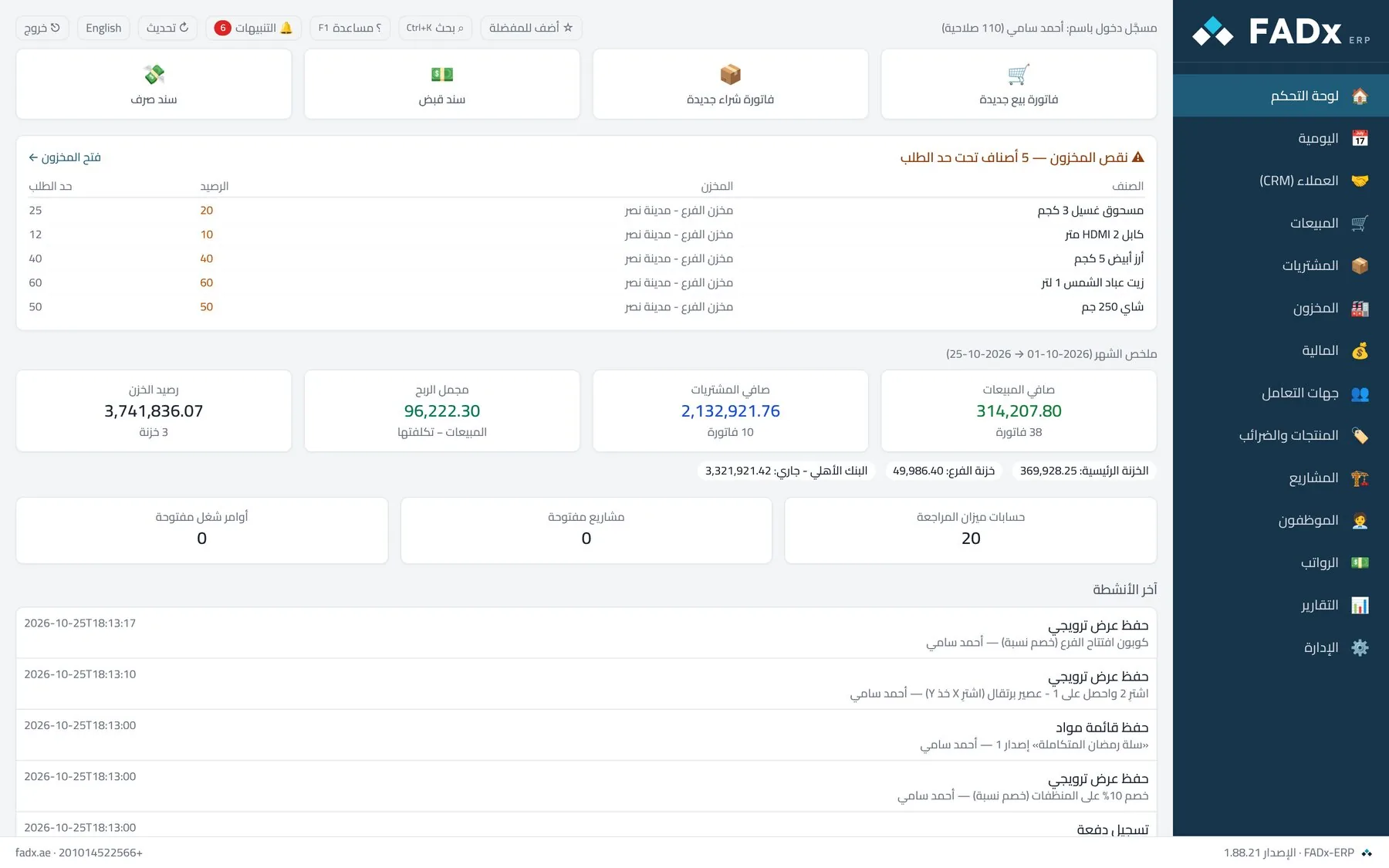
14
integrated modules
140+
ready reports
100+
configurable permissions
0
duplicate data entry
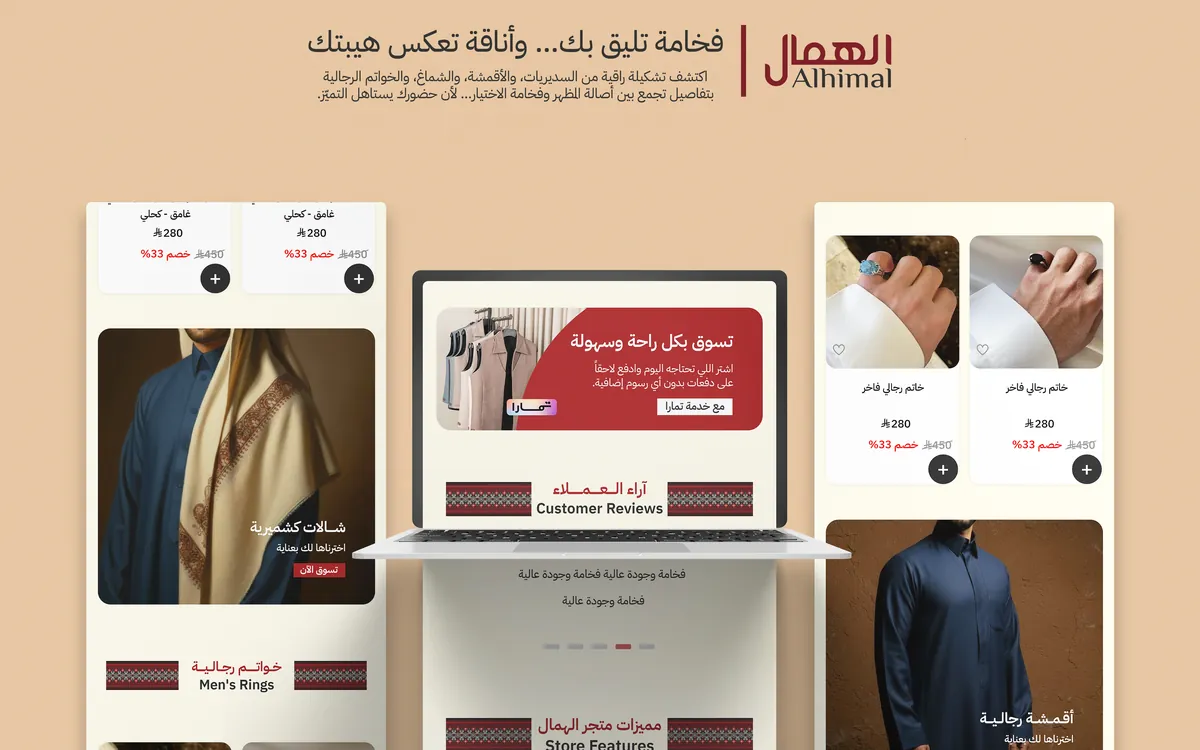
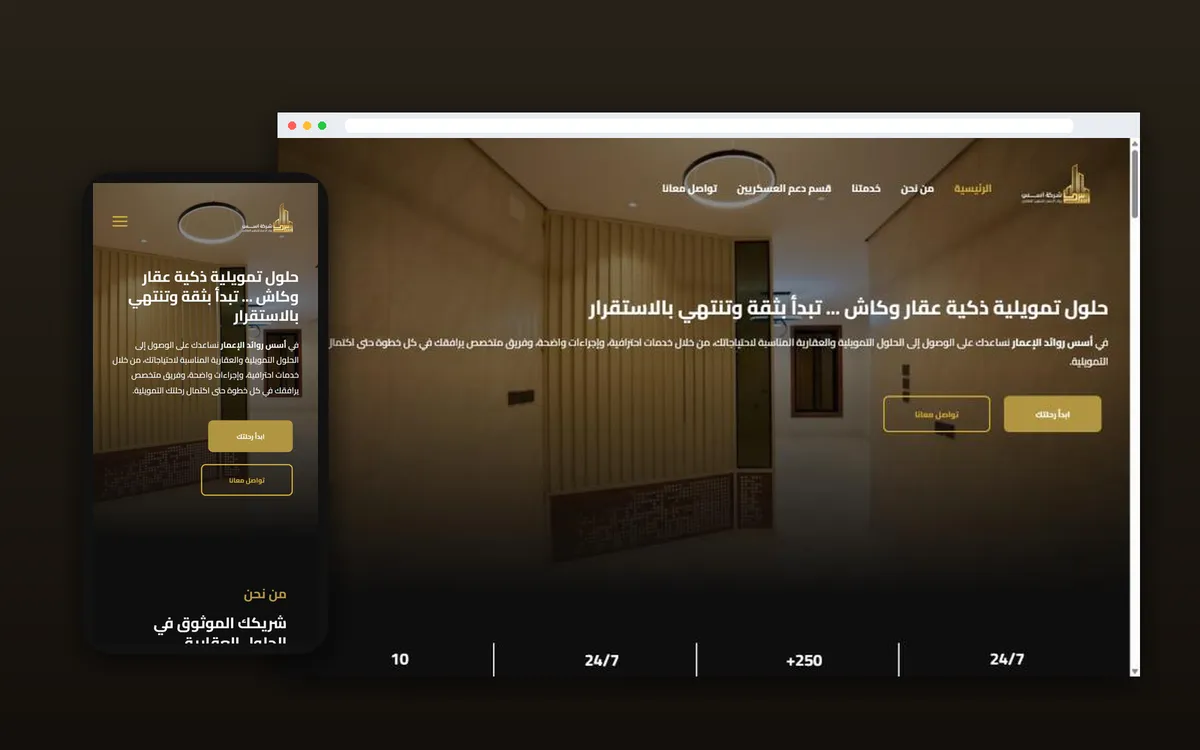
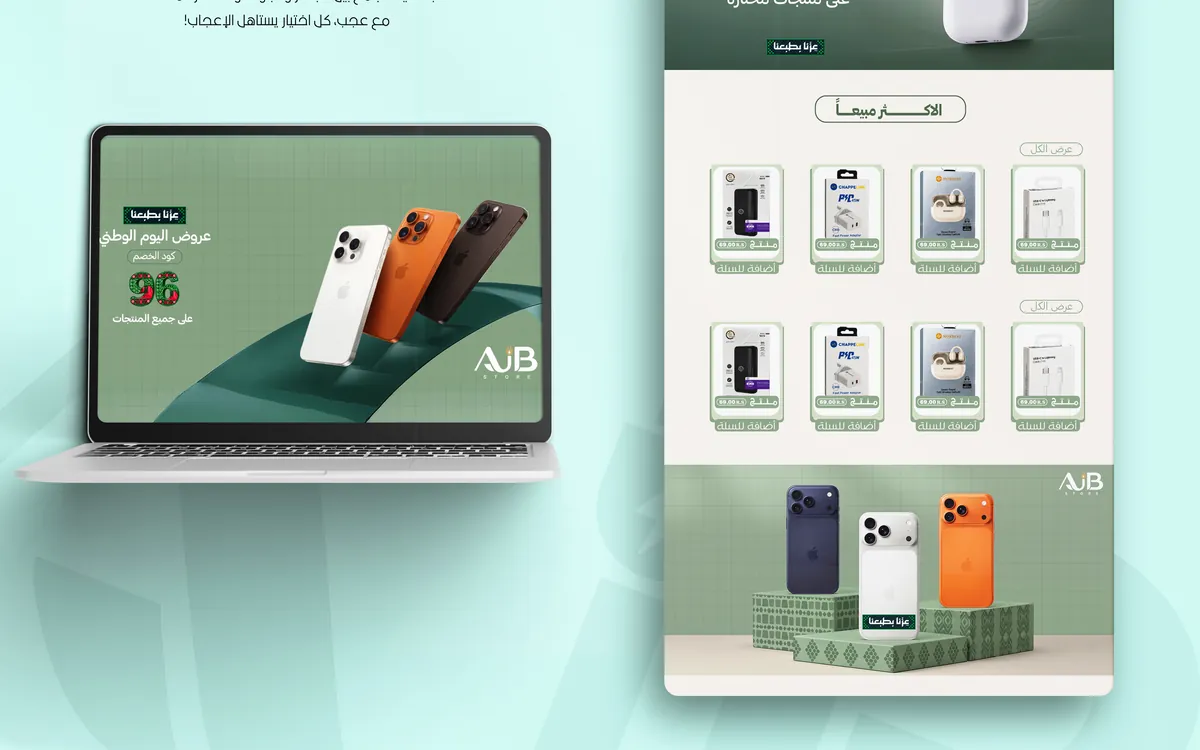
Our work
Identities, stores and websites we built for clients



Why FADx ERP?
Stop running your company across ledgers and Excel files
Most companies know their sales, but not their real profit, not what their stock is worth today, and not who owes them what. FADx brings all of it into one place.
| Without it | With FADx ERP |
|---|---|
| The accountant re-enters every invoice into the books at month end. | Every invoice and voucher creates its journal entry automatically, instantly. |
| Stock in the system does not match what is on the shelf. | Stock deducts on every sale and adds on every receipt; counts settle on a clear document. |
| You do not know the margin on each item or each project. | Profit by item, customer, branch and project — at actual cost. |
| Cheques get forgotten and customers exceed their limits. | Alerts on due cheques, and sales blocked above the credit limit. |
| The cashier has more permissions than they should. | Fine-grained permissions, counted cash sessions, and a log of every action. |
| Foreign software that understands neither Arabic nor how you work. | Built in Arabic right-to-left, with an English interface for whoever wants it. |
Modules
Everything your company needs
Point of Sale & Cashier
Sales & Orders
Purchasing & Supply
Inventory & Stocktaking
Manufacturing & Work Orders
Accounting & Ledgers
Treasury, Banks & Cheques
Payroll & HR
Projects & Contracting
Promotions & Price Lists
Reports
Permissions & Security
Business Partners & Tax
Customer Relationship Management (CRM)
Built for your trade
One system — it reshapes itself around your business
Pick your business type during setup and the system shows what you need and hides what you do not — change it whenever you like.
Supermarket & Retail
- Fast cashier screen and cash drawer
- Scale barcodes for meat, cheese and produce
- Automatic promotions and coupons
- Cash sessions per cashier
Wholesale & Distribution
- Price lists and customer credit limits
- Quotes, sales orders and delivery notes
- Debt ageing and due cheques
- Multiple warehouses and transfers
Contracting & Projects
- Profit per project: actual vs expected
- Work orders, technicians and site visits
- Expenses and payroll charged to the project
- Client collections per project
Manufacturing & Assembly
- Bills of materials with inputs and operations
- Work orders at actual cost
- Batches and expiry dates
- Material shortages before production starts
Point of sale
A full sale by keyboard and barcode — in seconds
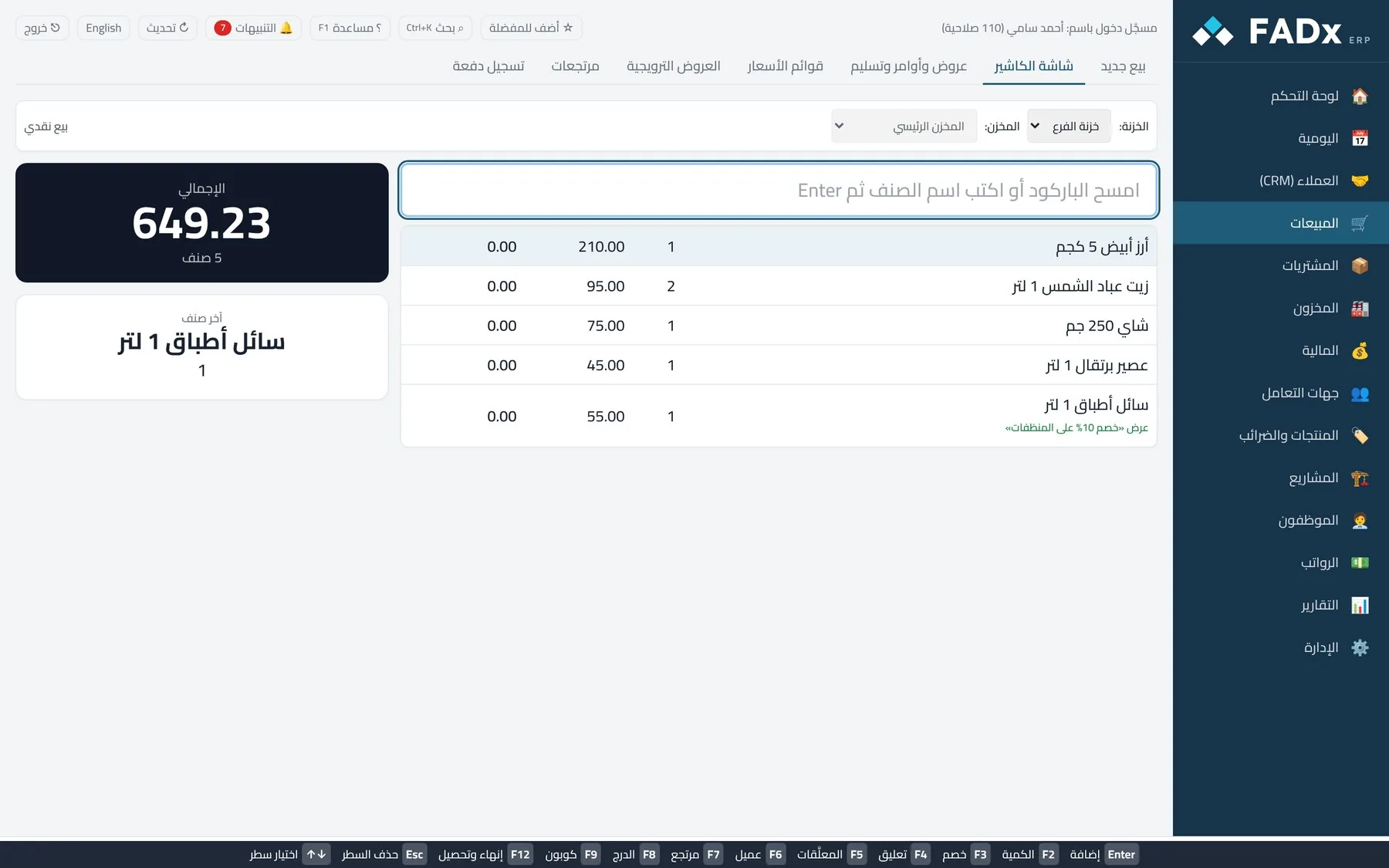
A cashier screen built for rush hour: scan, press F12, print. It is the same sales invoice with its journal entry and stock movement — speed never comes at the expense of the books.
- Scale barcodes
- Mixed payments
- Cash sessions
- Hold & resume a sale
- Return by scanning the invoice
- Coupons & promotions
What sets it apart
Why choose FADx ERP?
Arabic from the ground up
Designed in Arabic, right to left — not a translation of a foreign product. An English interface is there for whoever wants it.
Honest automatic accounting
Every movement carries its entry, and a clear refusal replaces a wrong number. If a required setting is missing, the system tells you instead of producing a bad figure.
Easy for your staff
Each user sees only their own screens, F1 help on every screen, and Ctrl+K to reach any screen or report by name.
It grows with you
Start with the till and the stockroom, then switch on accounting, payroll and manufacturing when you need them — without changing systems.
Works without internet
Runs on your own machines and local network with no connection required — an internet outage does not stop the till.
Your data stays yours
The database lives on your machine, with automatic backups to a path you choose and a full audit log of every action.
Reports
Over 140 reports — and a clearer decision
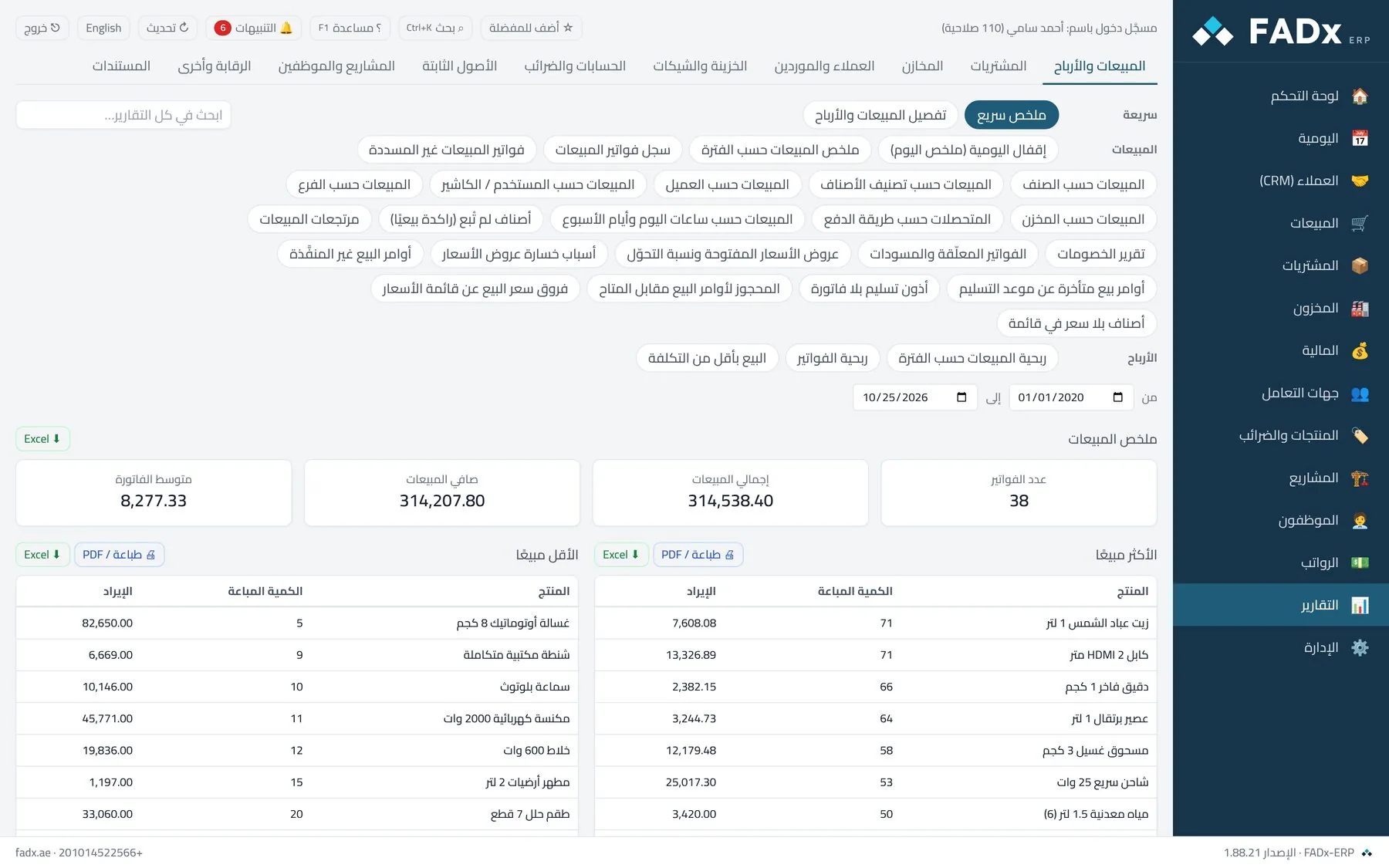
Every report with its filters, printable or exportable to Excel and PDF. Search any report by name and get it in seconds.
- Sales and profit by item, customer, branch and rep
- Inventory: balances, movement, slow stock and expiry
- Income statement, balance sheet and cash flows
- Customer and supplier statements with ageing
Getting started
We start with you — step by step
You do not need to understand accounting or programming. Our team sets everything up and stays with you after go-live.
- 1
Install & configure
We install the system and set up your company, branches and warehouses to match your business.
- 2
Migrate your data
We move items, customers and opening balances from Excel or your current system.
- 3
Train your team
We train each user on their own screens — the cashier on the till, the accountant on the ledgers.
- 4
Support & updates
Ongoing support and updates, with a backup taken before every upgrade.
More from FADx
And we are not one product
Alongside FADx ERP we build smaller, sharper systems for anyone who needs one specific thing — not a full management system.
FADx Hader حاضر
Attendance and payroll in one place
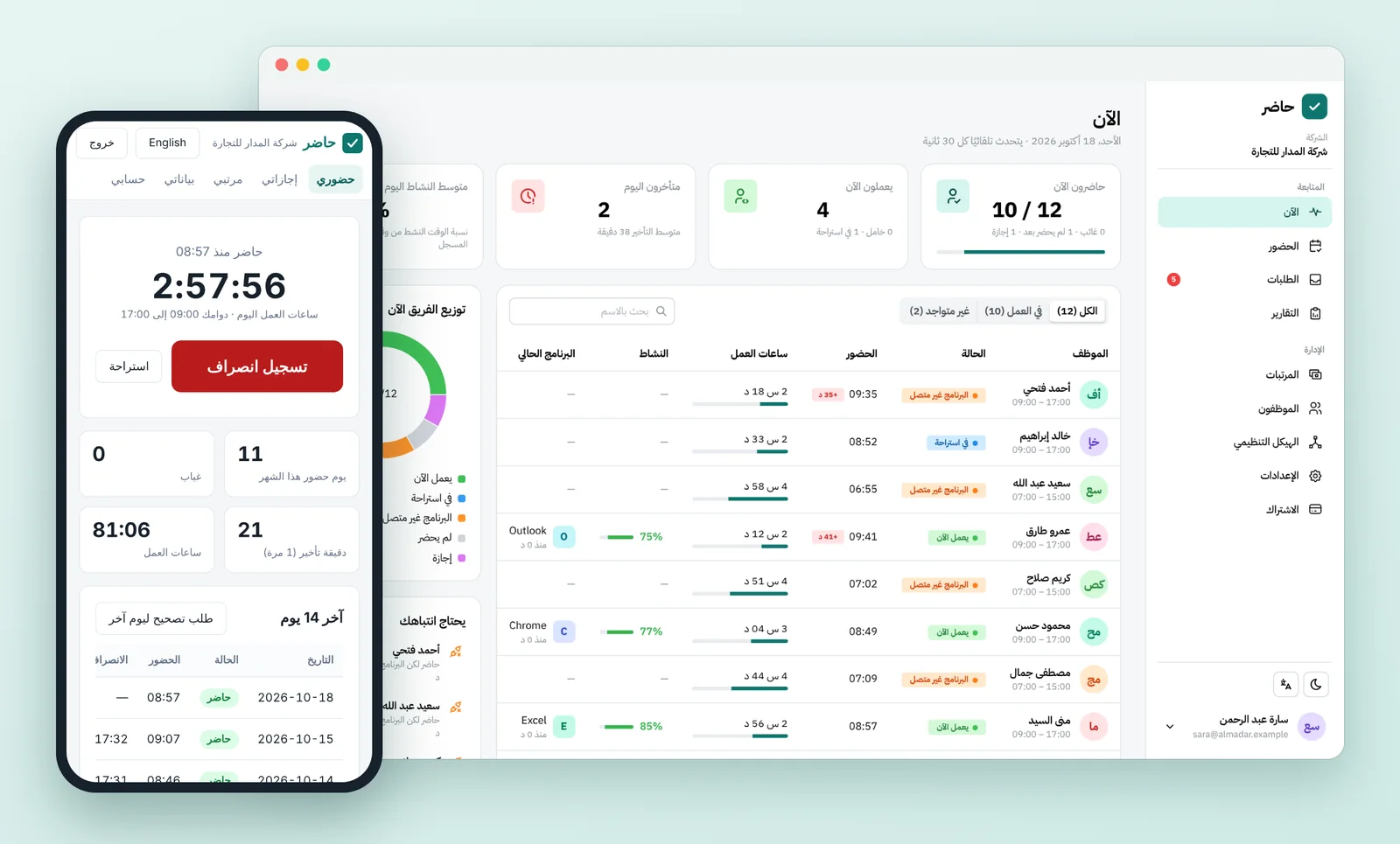
A cloud attendance and payroll system. Employees check in from the browser, their phone, the desktop app or a fingerprint terminal, while the admin tracks, approves and pays from one place.
- Runs
- Cloud — reach it from anywhere
- Platforms
- Web · Mobile · Desktop app · Fingerprint terminals
FADx Print
Print factory management
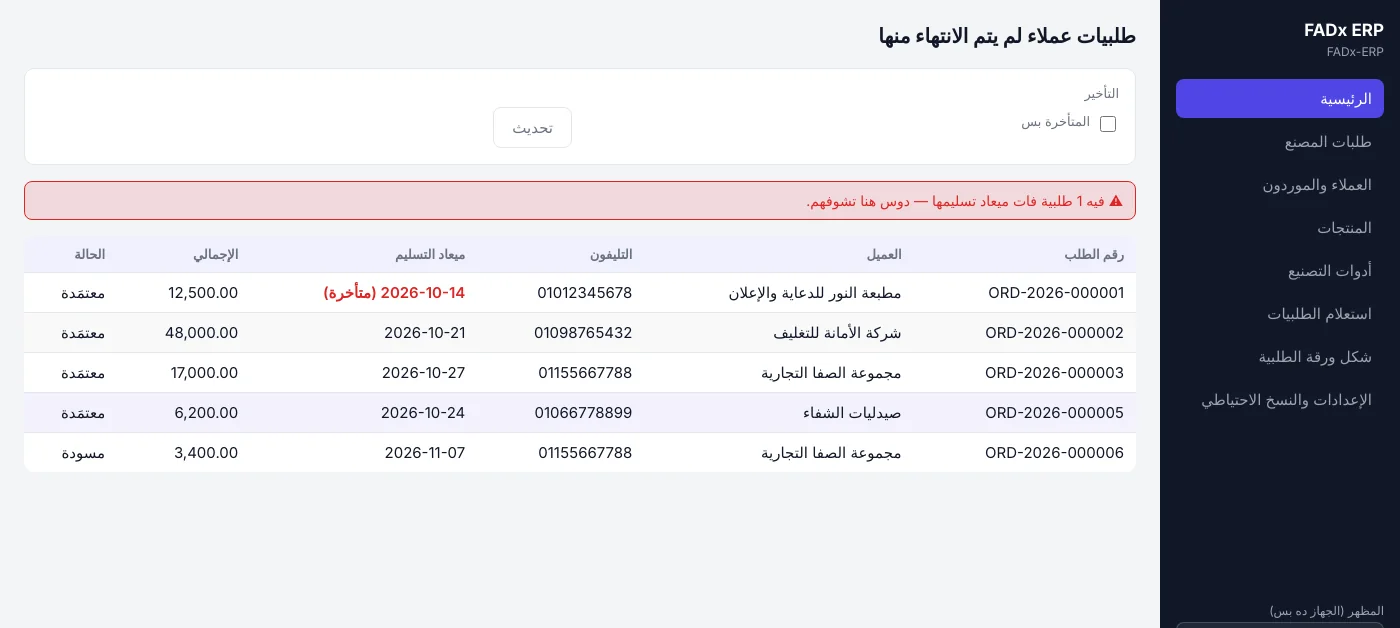
From taking the order to delivering it: stages, suppliers, costs and the profit on each order — in one Arabic system running on your machine without internet.
- Runs
- On your machine — no internet required
- Platforms
- Windows · Internal network
FADx Salon
Your whole shop on one screen
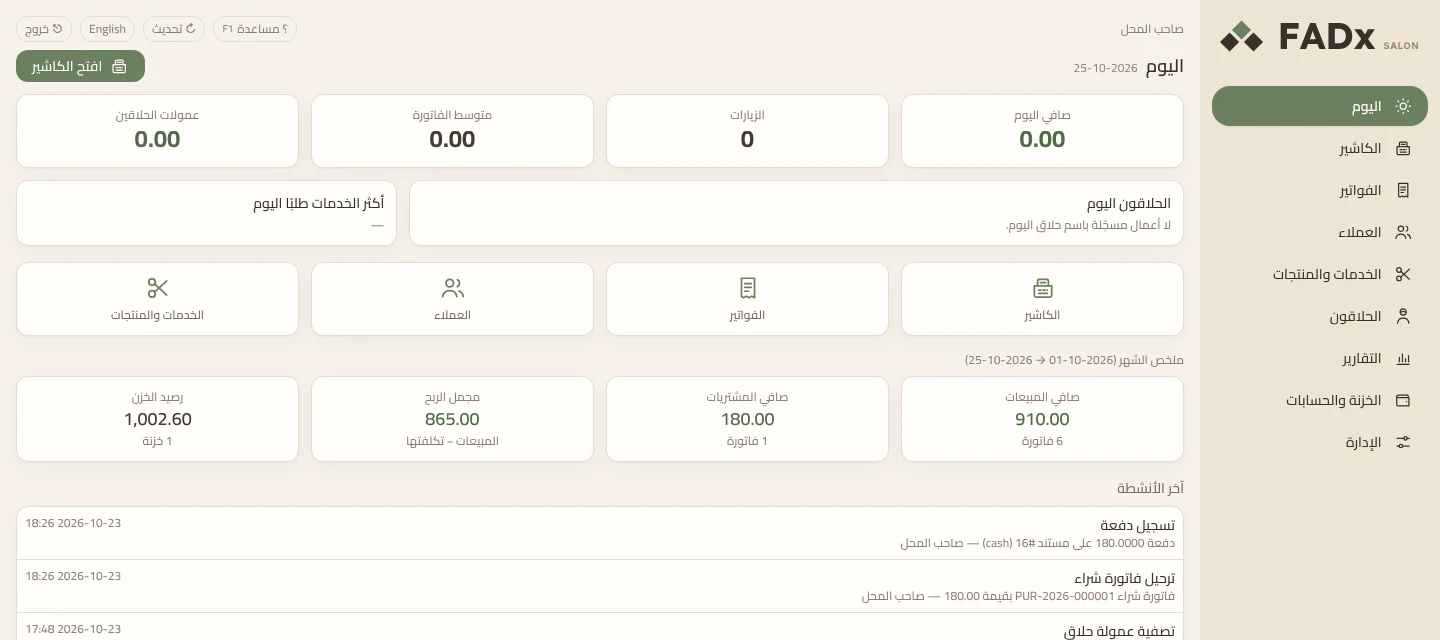
Cashier and management for men’s barbershops and skincare: a sale in four steps, each barber’s commission calculated on its own, the receipt on the client’s WhatsApp, and product stock in its place.
- Runs
- On the shop’s machine — no internet required
- Platforms
- Windows · Local network
Other services
And what you need beyond the software
Custom Software Development
- Accounting and management software
- Web systems and mobile apps
- Integration with your existing systems
E-commerce Stores
- Store setup on Salla and Zid
- Product upload and setup
- Store visual identity
Design & Branding
- Logo design and brand guide
- Full visual identity
- Motion graphics
Digital Marketing
- Campaign management
- Campaign content production
- Marketing videos
Try it free on your own data
Request a free trial and we will set the system up on your own business, with your own data — not a demo dataset.