
FADx Print in half a minute
The problem
A print factory loses money in the detail, not on price
An order passes five stages and three suppliers. Paper and WhatsApp keep the work moving, but they never tell you this:
- An order misses its date and nobody notices until the customer calls.
- A stage was done by an outside supplier, the supplier wants paying, and nobody remembers the agreed price.
- A customer has owed money for three months, and their statement lives in a notebook that never adds up.
- An order finishes and nobody knows whether it made money or lost it.
- The computer dies — and nobody remembers when the last backup was taken.
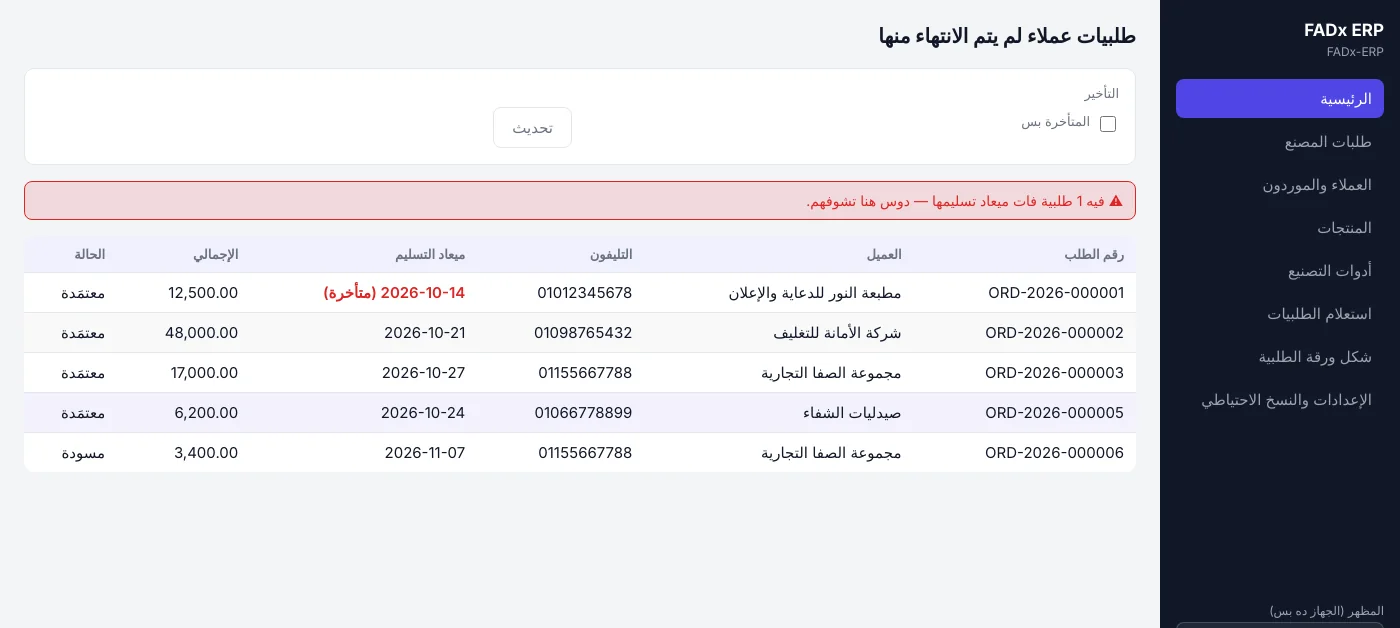
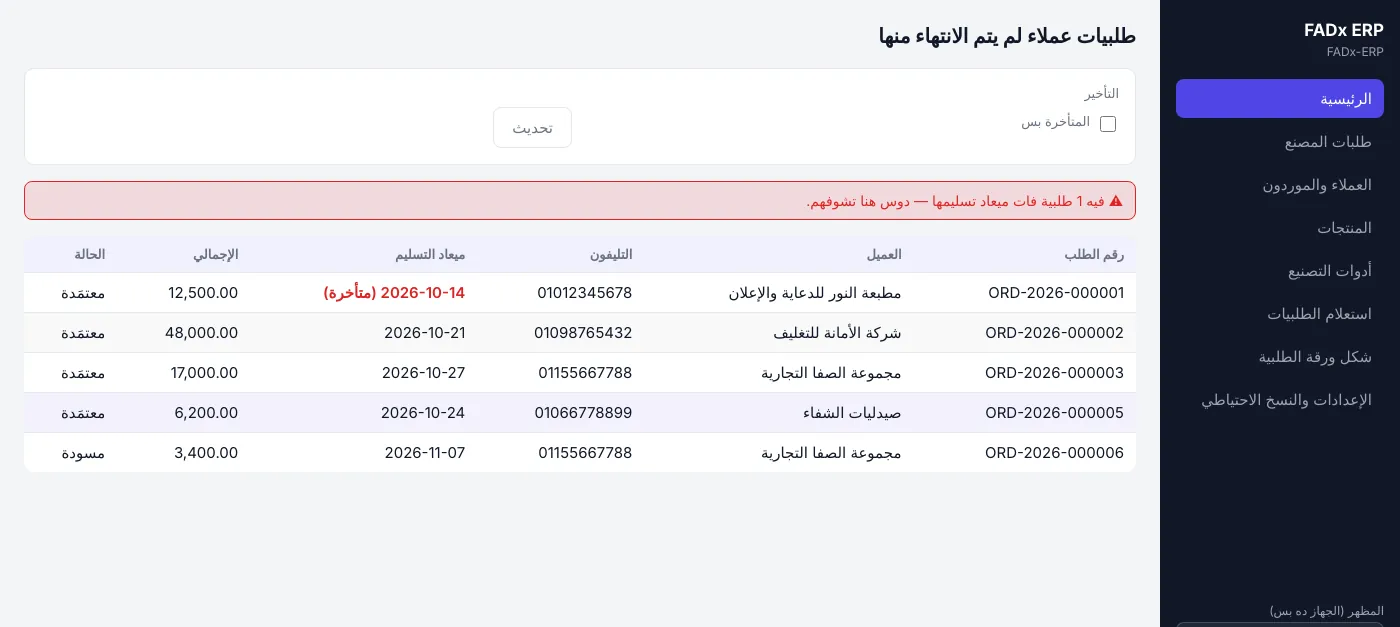
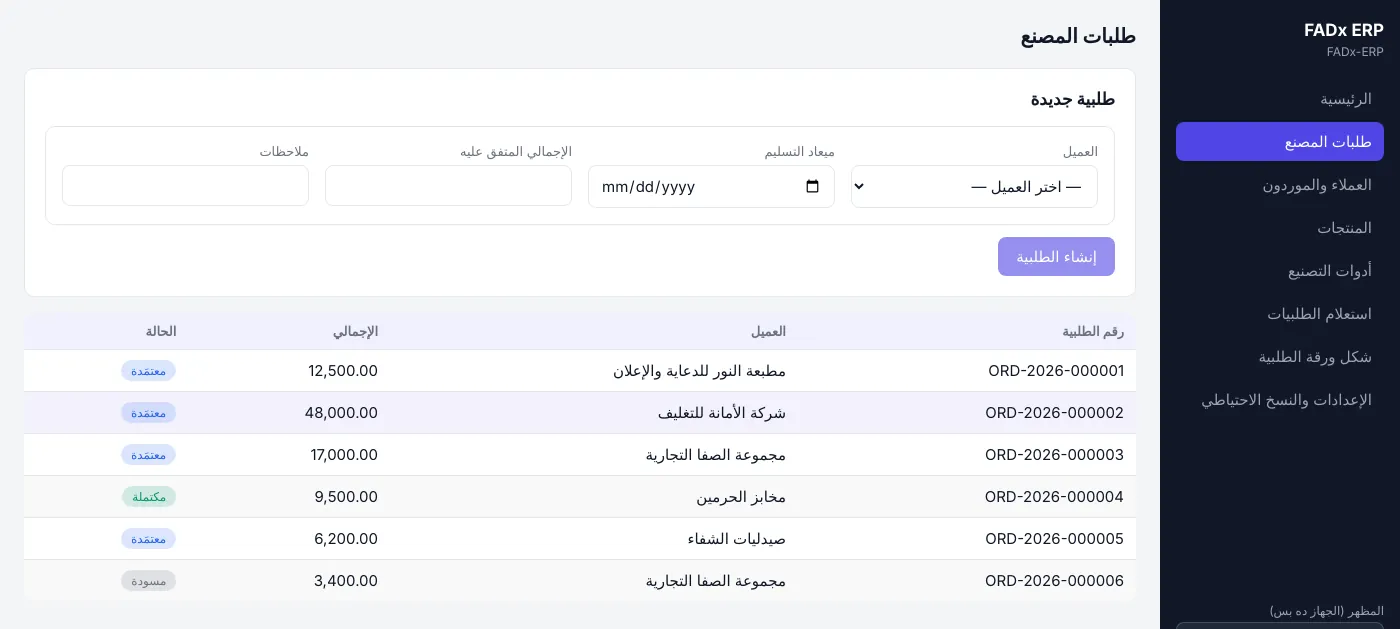
Orders not yet delivered — the late ones in red with an alert above them.
What it does
The whole working day
Not theoretical modules — these are the screens your staff open every day.
Orders and their stages
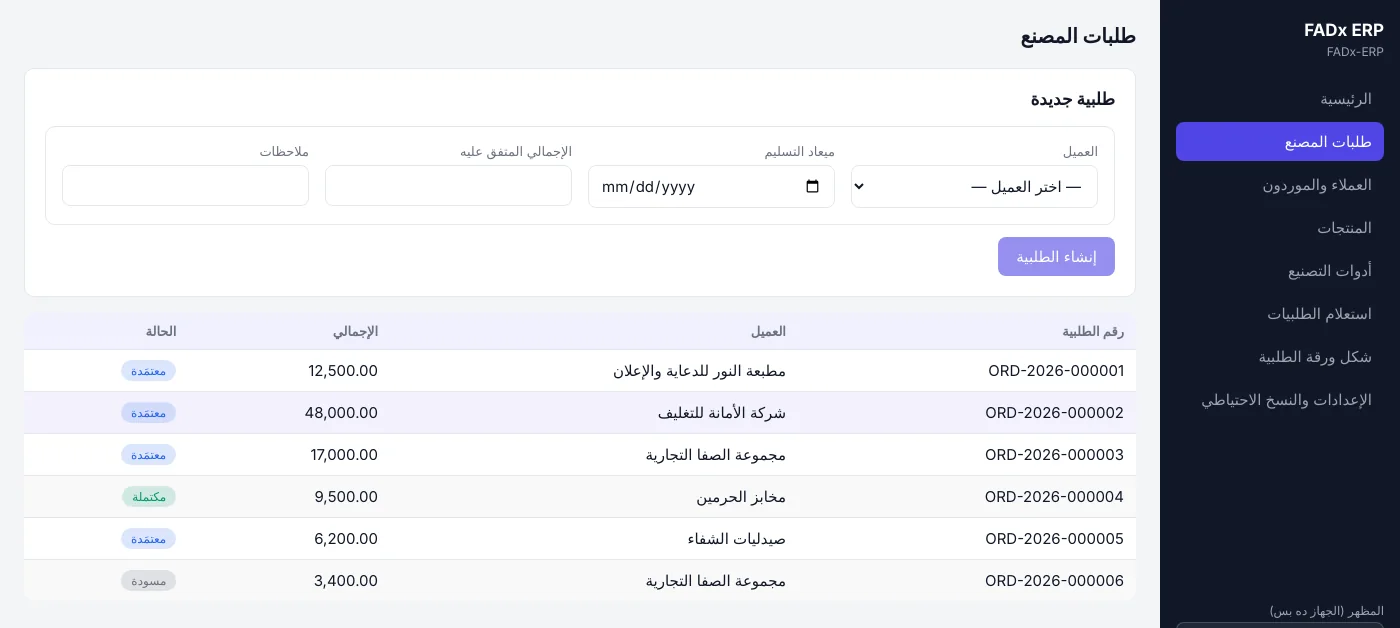
Create the order and its items, set the production stages for each item, and move each stage between waiting, in progress and done. The order status is computed from its stages — nobody sets it by hand.
Late order alerts
Set a delivery date and the system tells you what has passed it — in red on the main screen, with a one-click filter.
Stage costs and suppliers
Every stage done outside is recorded with its cost and supplier, and posting the cost creates the journal entry. Part payment is allowed; overpayment is refused.
Profit per order
Revenue less stage costs, on the order itself. An order whose price is not yet agreed is shown as exactly that — not as an invented loss.
Customers and suppliers
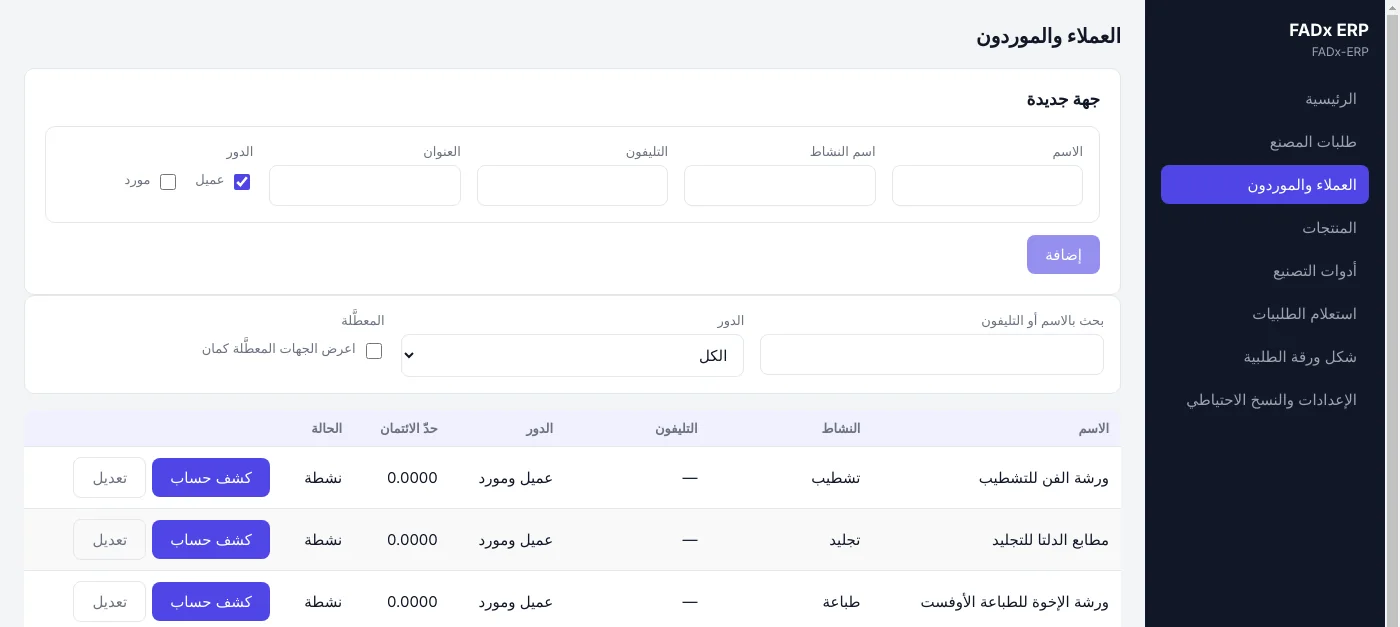
One party can be a customer and a supplier at the same time. A statement for each role separately, and a credit limit per customer.
Production tools
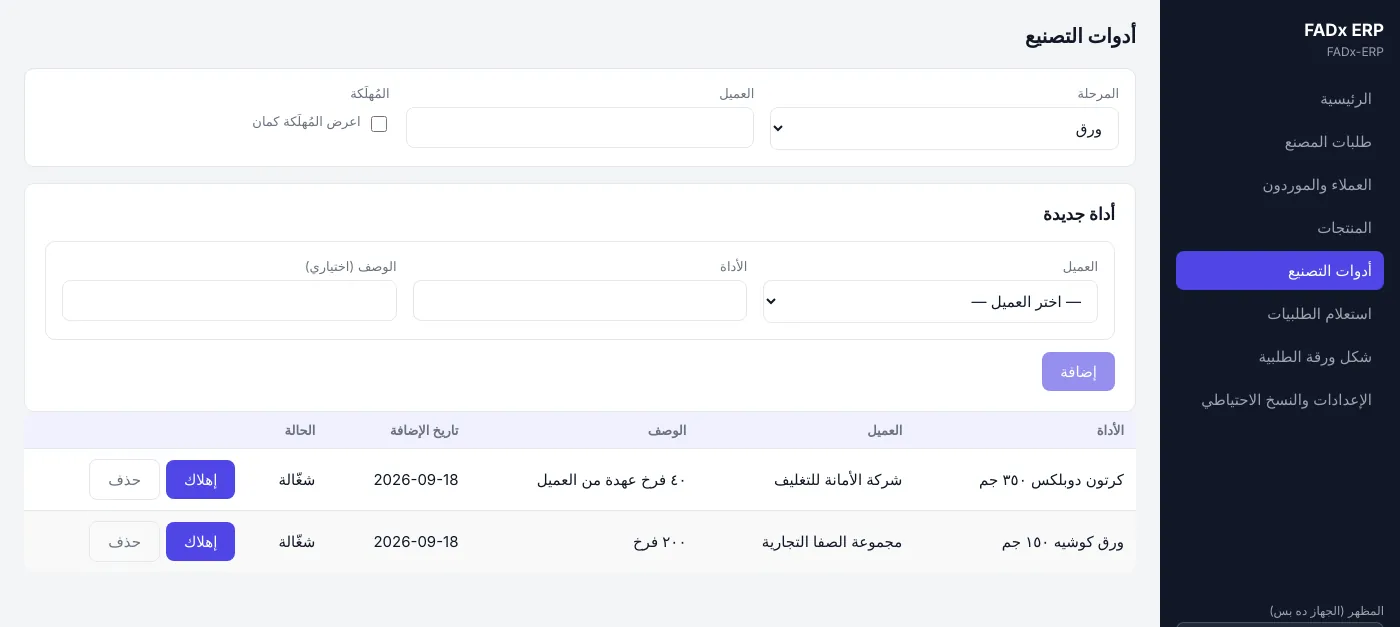
Plates and the rest, each tied to its stage. "Retire" keeps the record and "delete" is final — two deliberately separate buttons.
The order sheet layout
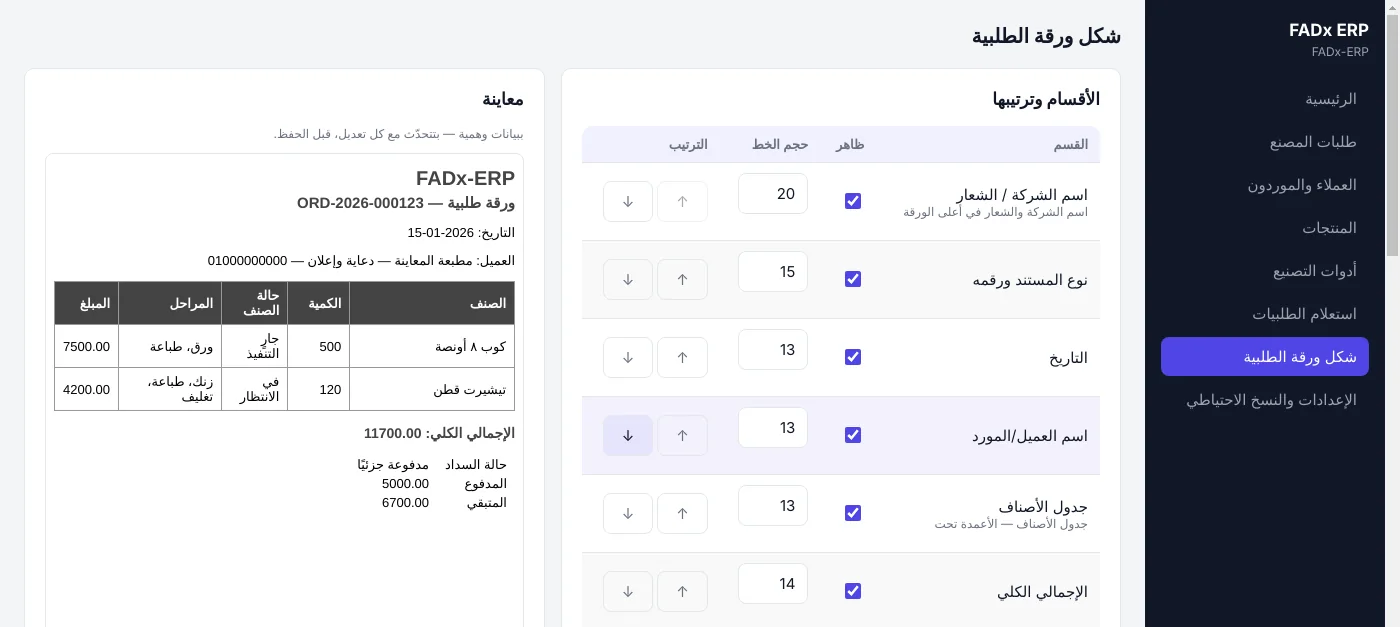
Your logo, colours and wording. Rearrange the sheet sections, rename the columns and watch the preview change before you save. It prints or sends as a ready PDF.
Backups
An automatic backup on open, telling you how many days since the last good one, with old copies cleaned up on their own.
The sheet that reaches the customer
An order sheet in your factory’s style
Your logo, colours and wording. Rearrange the sheet sections and rename the columns, with the preview changing in front of you before you save.
A ready PDF — to print or send, with no second program.
Multiple companies
More than one factory or branch on the same program, each with a completely separate database — its own orders, customers and accounts.
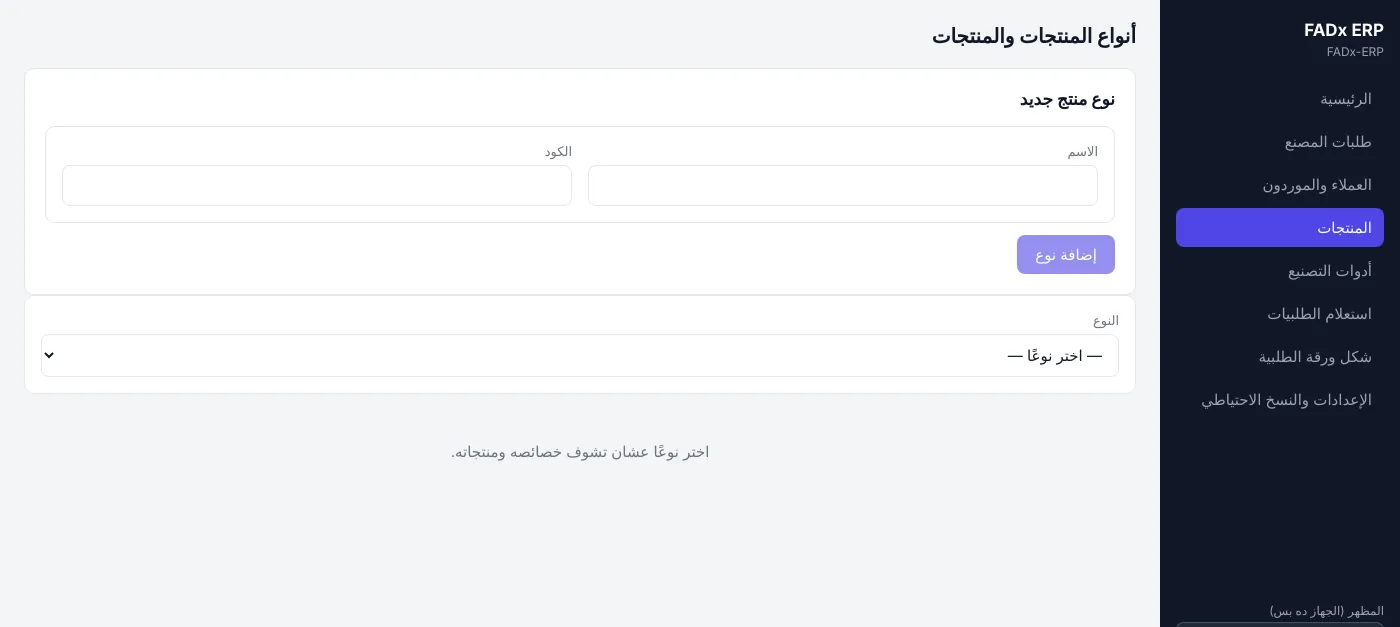
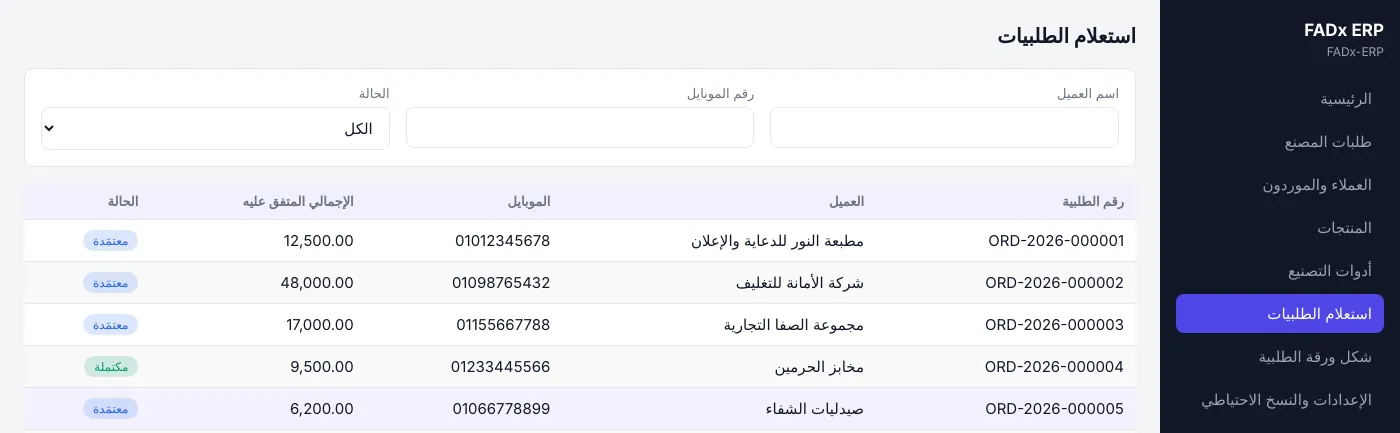
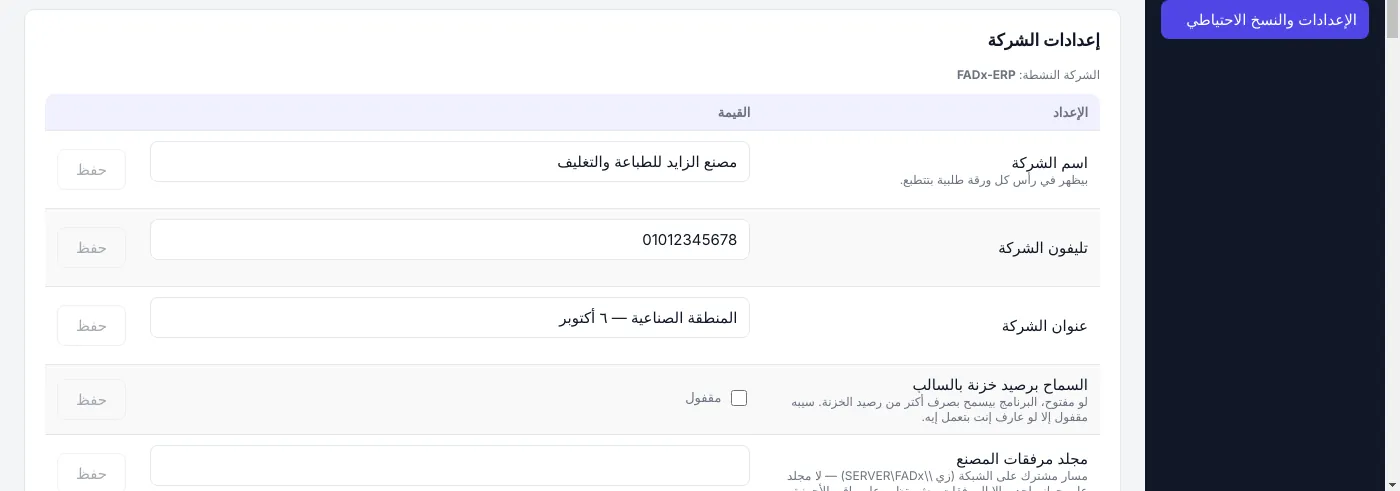
Screens from the app
From the brochure and user guide — tap any image to open it full size.
Swipe for more →
Safety
Your data does not get lost
It runs without internet. The data sits on your machine, not on someone else’s server — and with an internal network, several machines work on the same data.
Automatic backup
The system backs itself up on open, tells you how old the last good copy is, and cleans up the old ones by itself.
Permissions per user
Each role sees only its own screens. A sales user cannot open settings or switch company.
Audit log
Every sensitive action is logged with who did it and when.
Features in detail
A page for each feature: what you get, how it works, and the questions people ask.
Want to see it on your own data?
We install it, load your customers and products, and train your staff on it. Talk to us at your nearest office.