
Dashboard
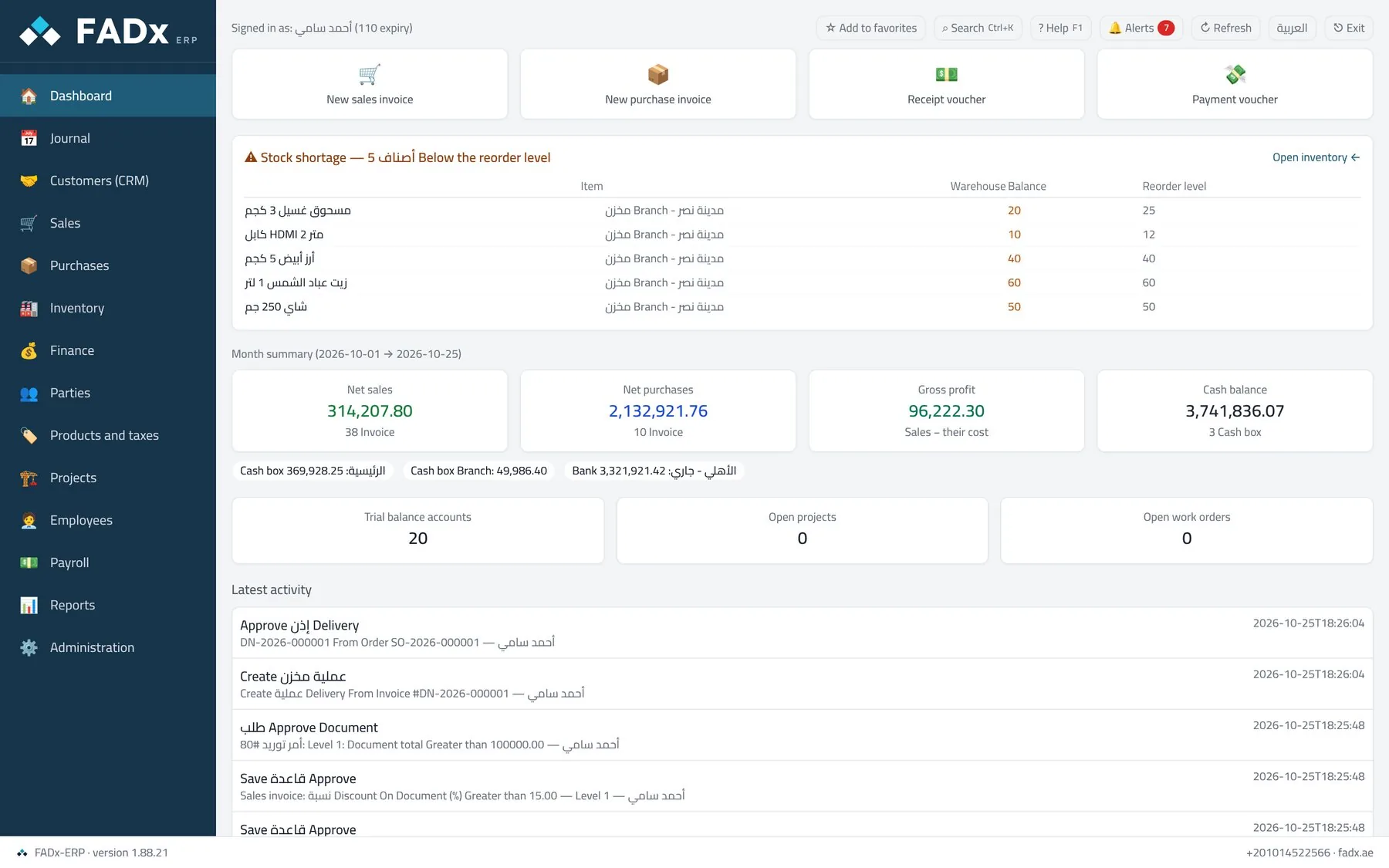
Your whole day on one screen
Open the system and you know at once: what you sold this month, what you earned, what is in your cash and banks, and what needs your attention now.
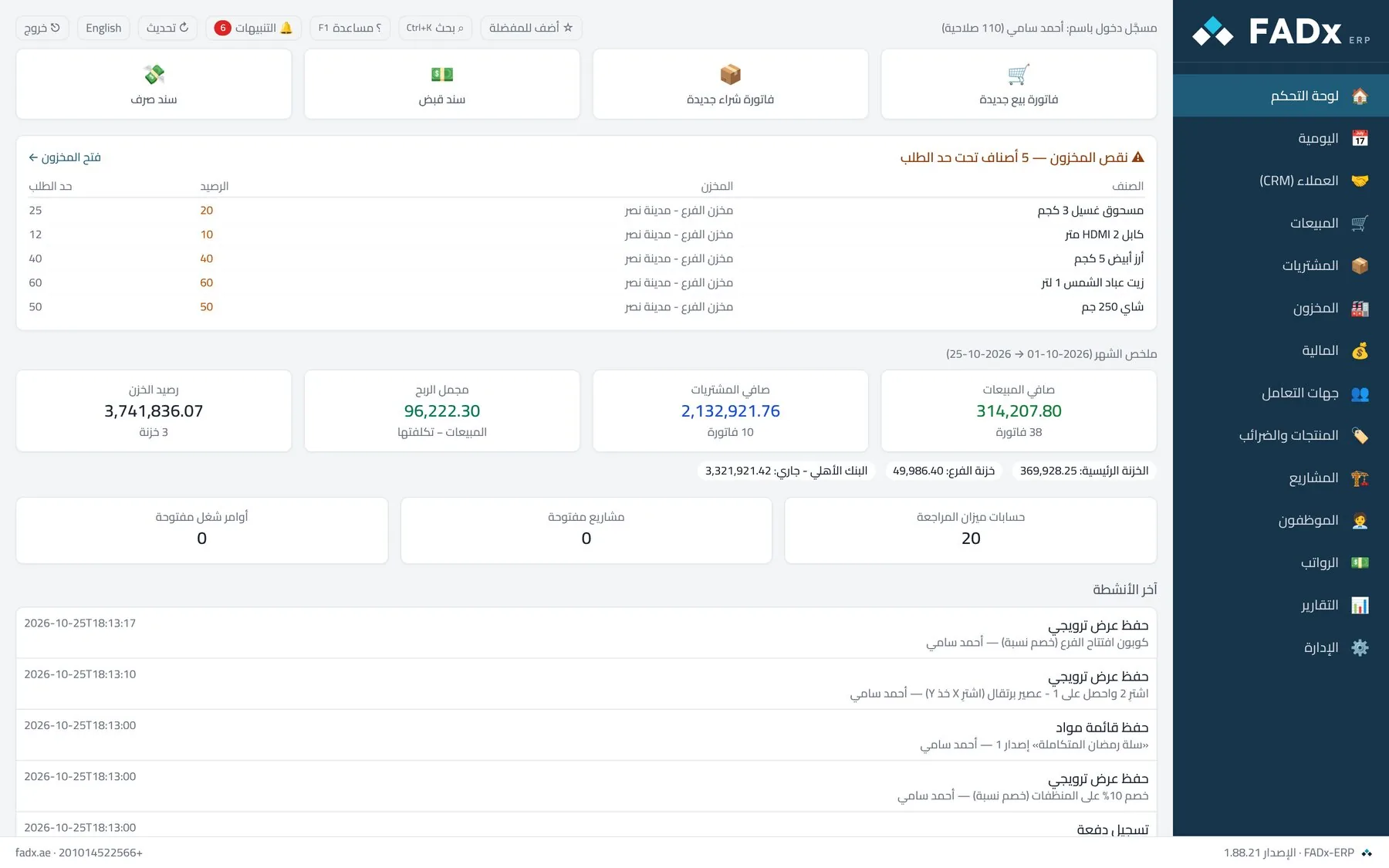
- Ctrl+K to reach any screen or report by name
- F1 help right beside your work
- Quick buttons for what you do most
- Alerts on items nearing depletion
- Due cheques and approvals waiting
- Latest activity: who did what, and when
FADx ERP in half a minute
Sales & purchasing
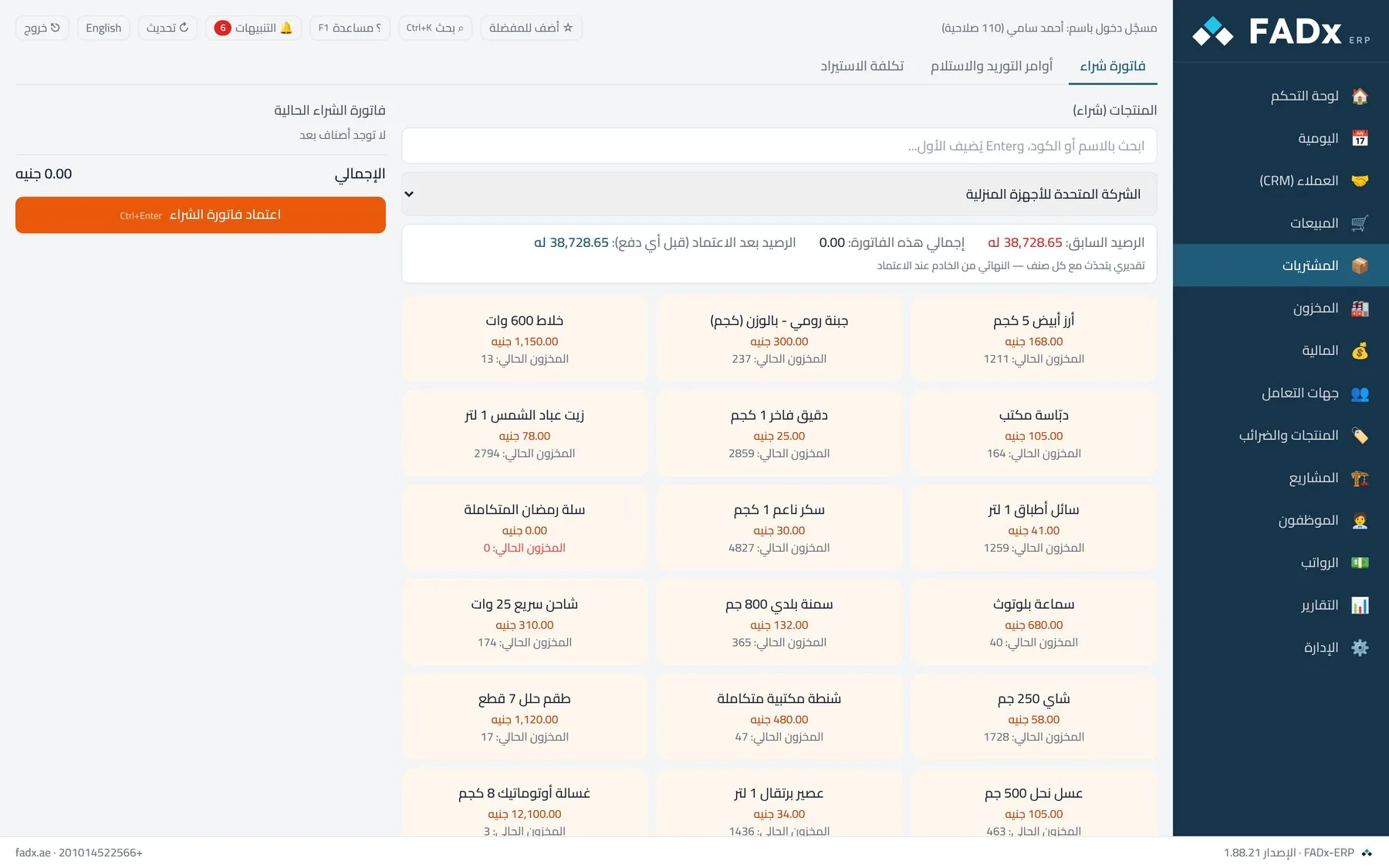
The full cycle — from quote to collection
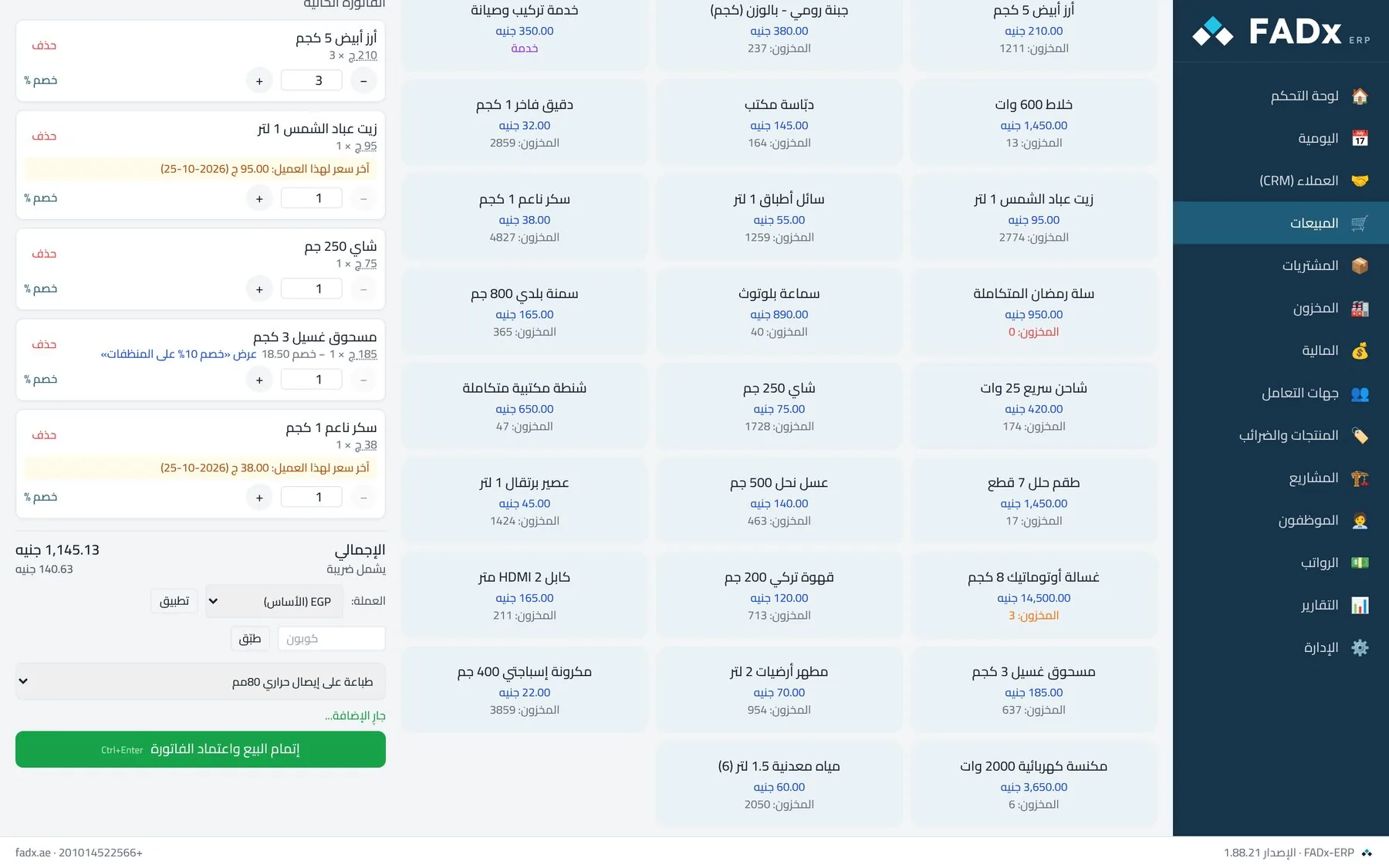
Every document converts to the next in one click, without re-typing, and the system tracks what remains open.
- Quote → order → delivery note → invoice → collection
- Credit limit per customer, shown during the sale
- Selling by unit: a carton equals 24 pieces
- Purchase invoice matched to the purchase order
Inventory & manufacturing
Know what is on the shelf — in every branch
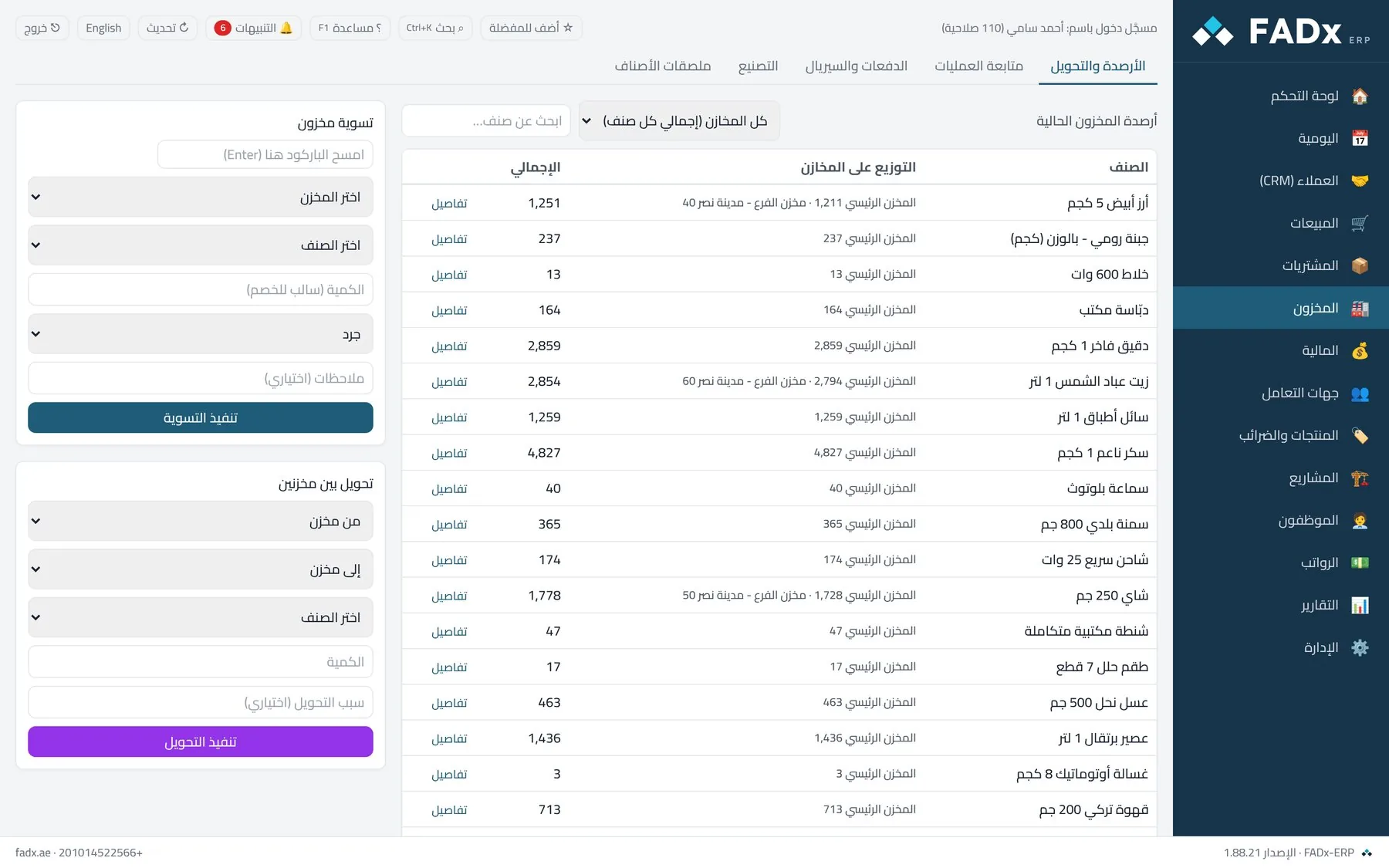
Per-warehouse balances, transfers and adjustments on clear documents, and correct costing on every movement.
- Multiple warehouses and branches with transfers
- Batches, expiry dates and serial numbers
- Internal barcodes and labels at your size
- Reorder alerts before an item runs out
Accounting & finance
Books that are always ready — with no manual entry
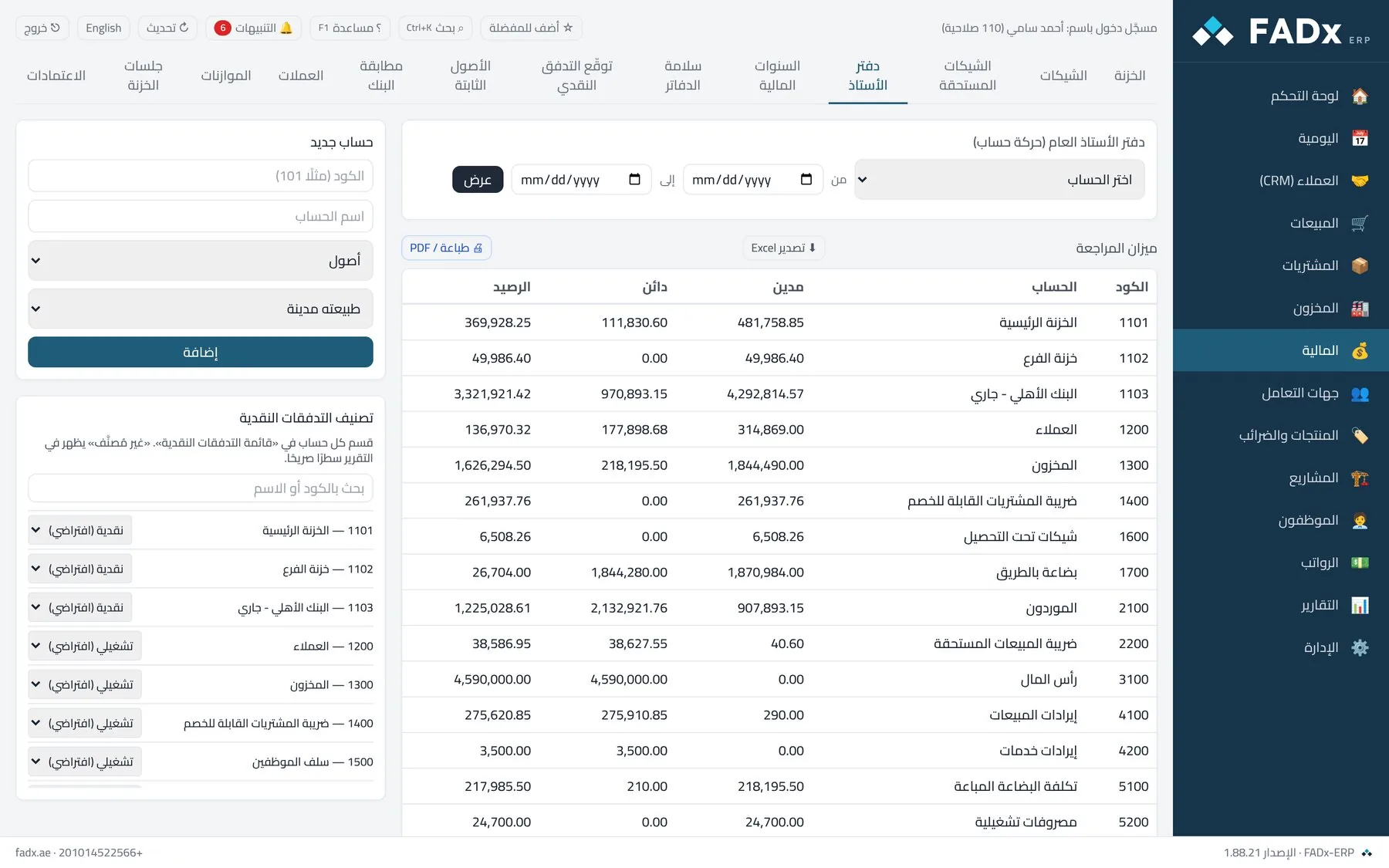
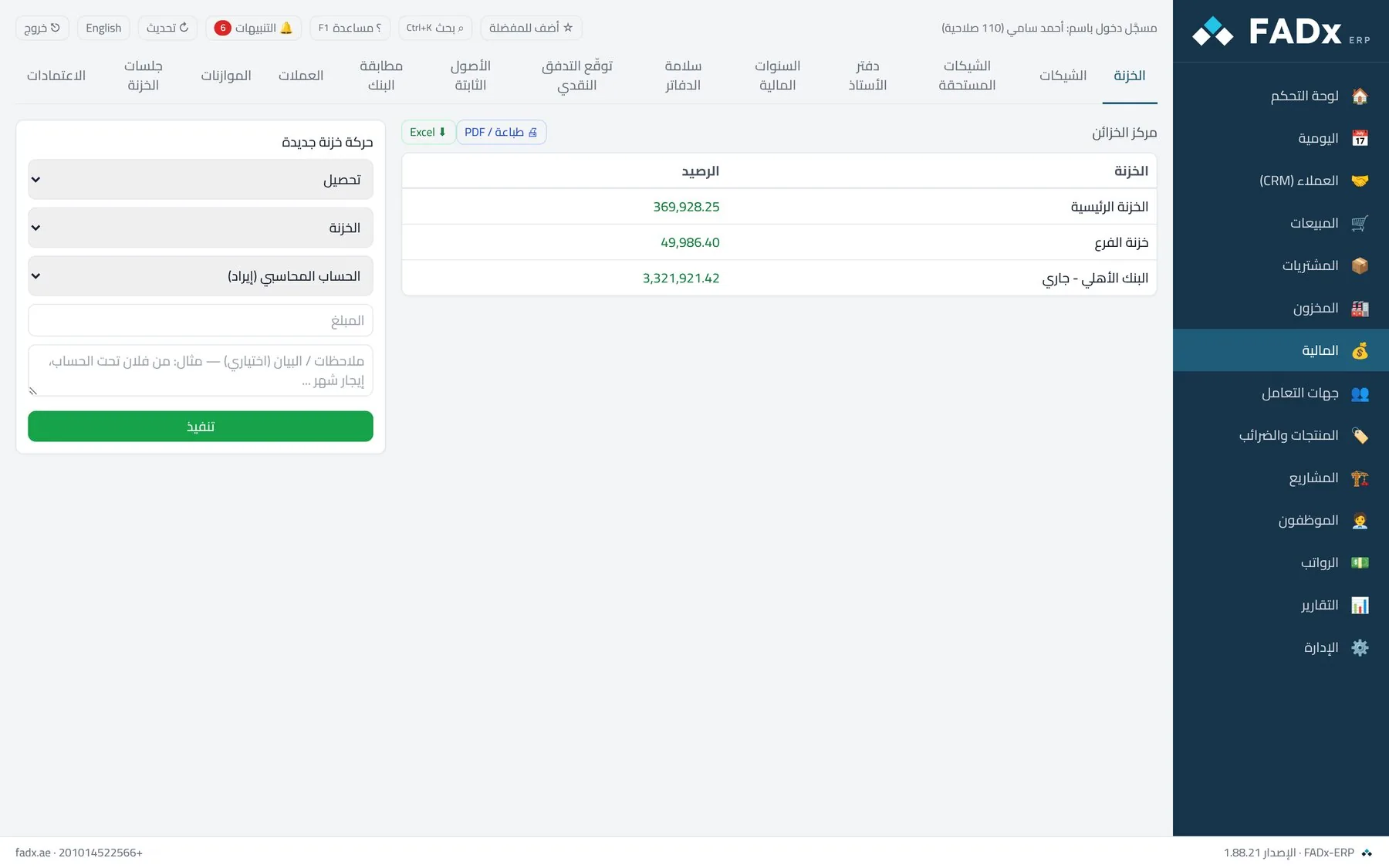
A chart of accounts ready on day one, with every transaction posting itself. Your accountant reviews instead of typing.
- Live trial balance and general ledger
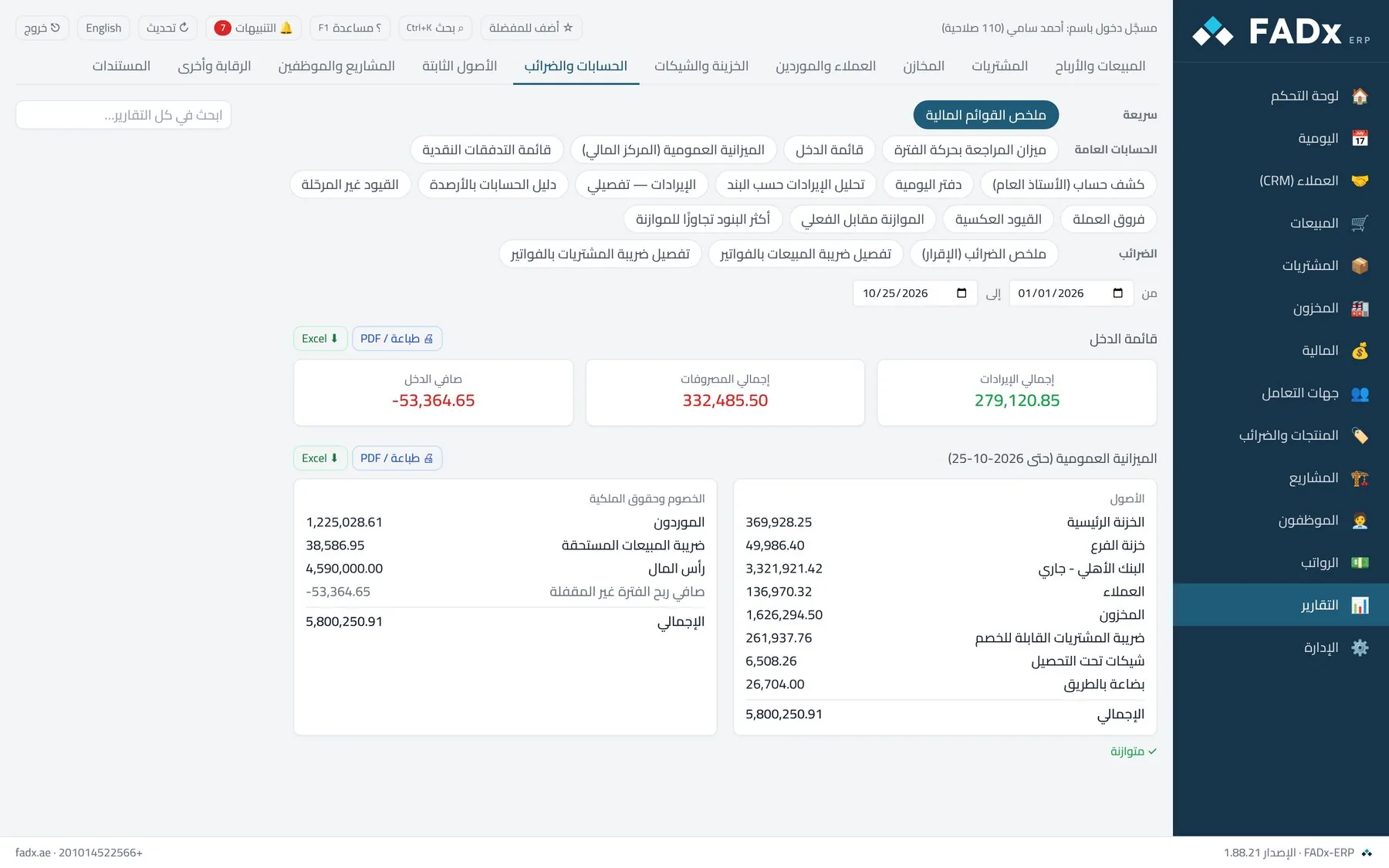
- Income statement, balance sheet, cash flows
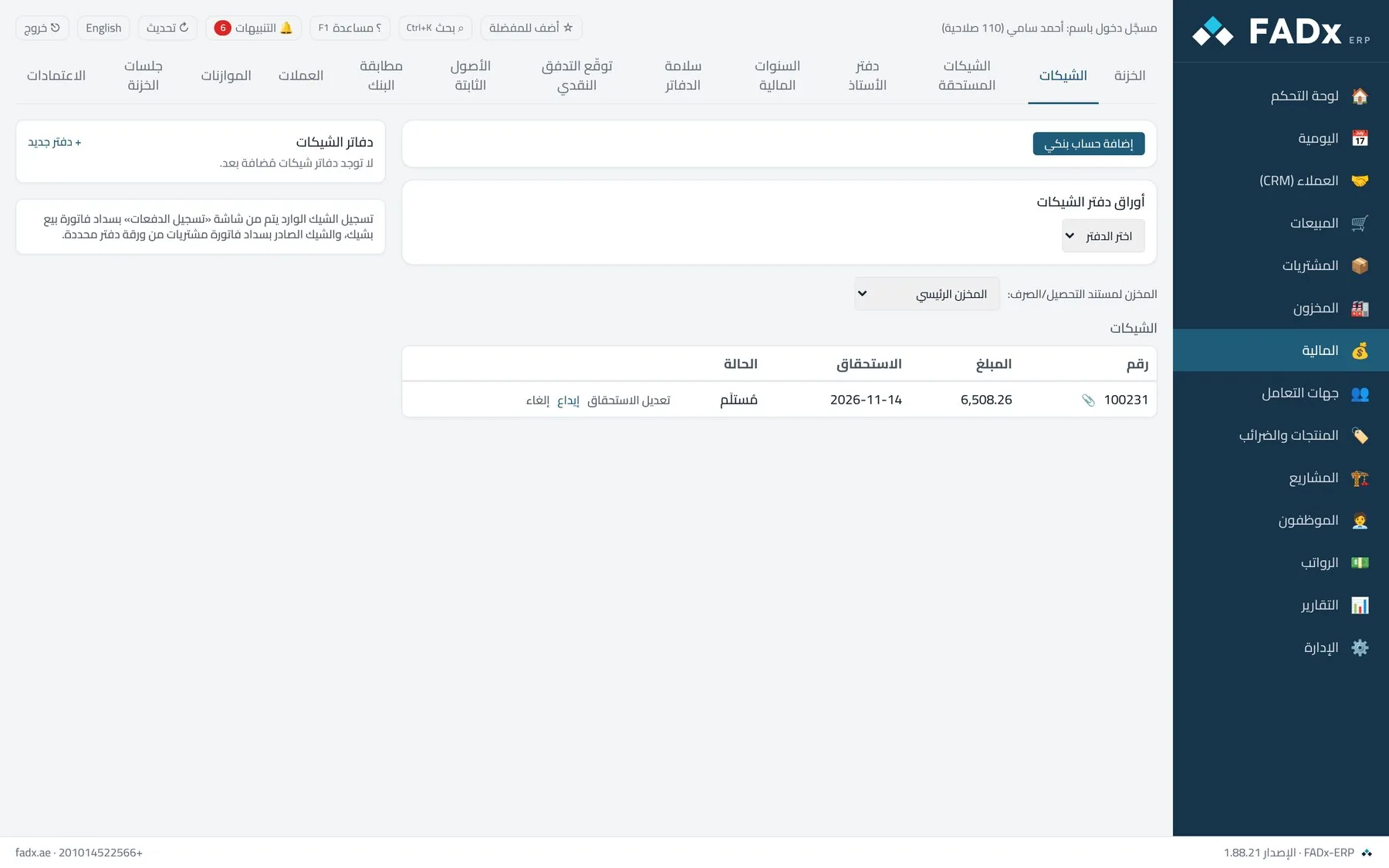
- Cheque alerts before due date, bank reconciliation
- Fixed assets, depreciation and budgets
People & payroll
Payroll in minutes — on a single entry
Calculate, review, pay — each payslip prints or saves as PDF, and the cost lands on the right branch and project.
- Salary structure with allowances and deductions
- Attendance, lateness and overtime from the shift
- Advances deducted automatically
- Insurance, tax and end-of-service
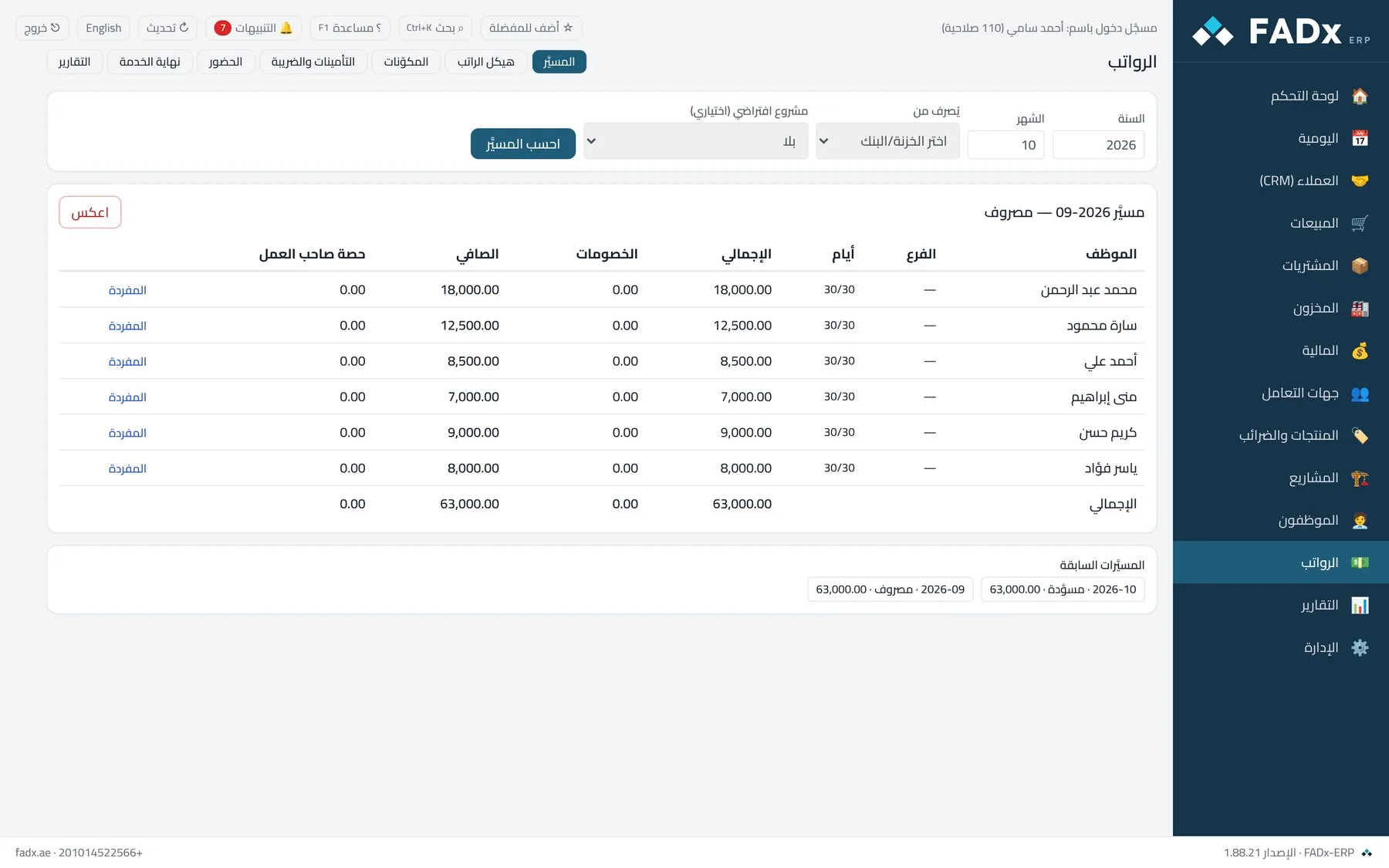
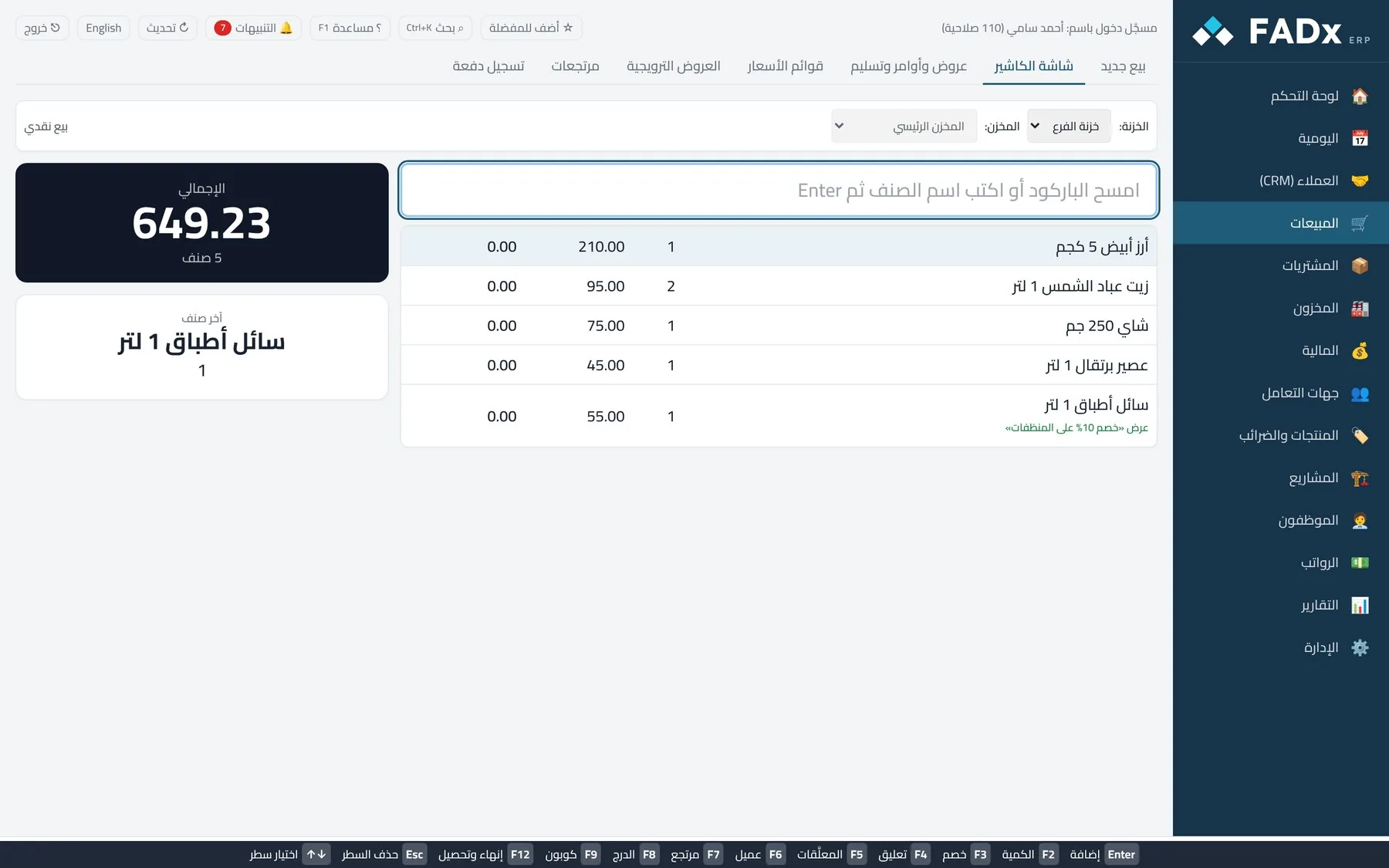
Screens from the app
From the brochure and user guide — tap any image to open it full size.
Swipe for more →
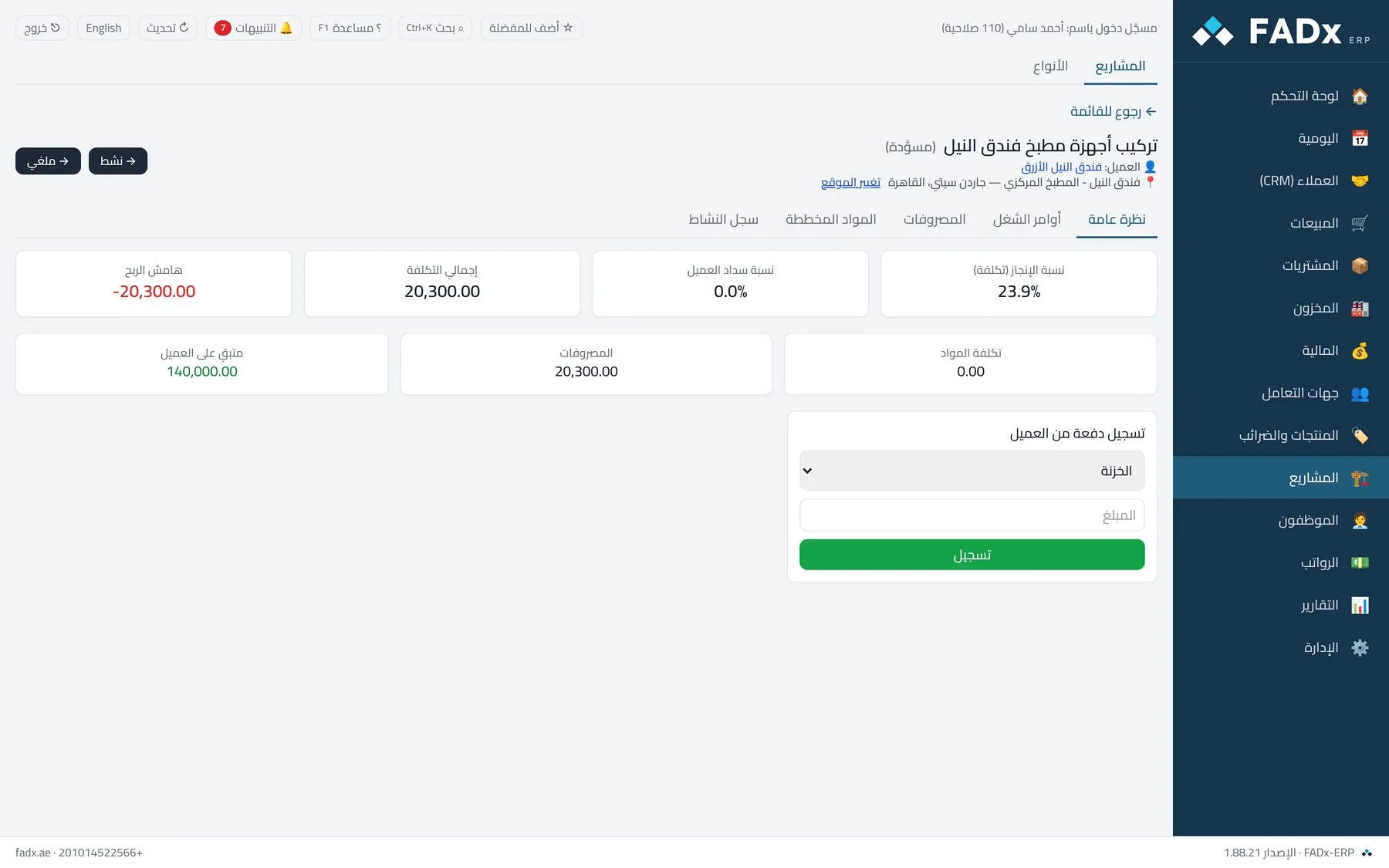
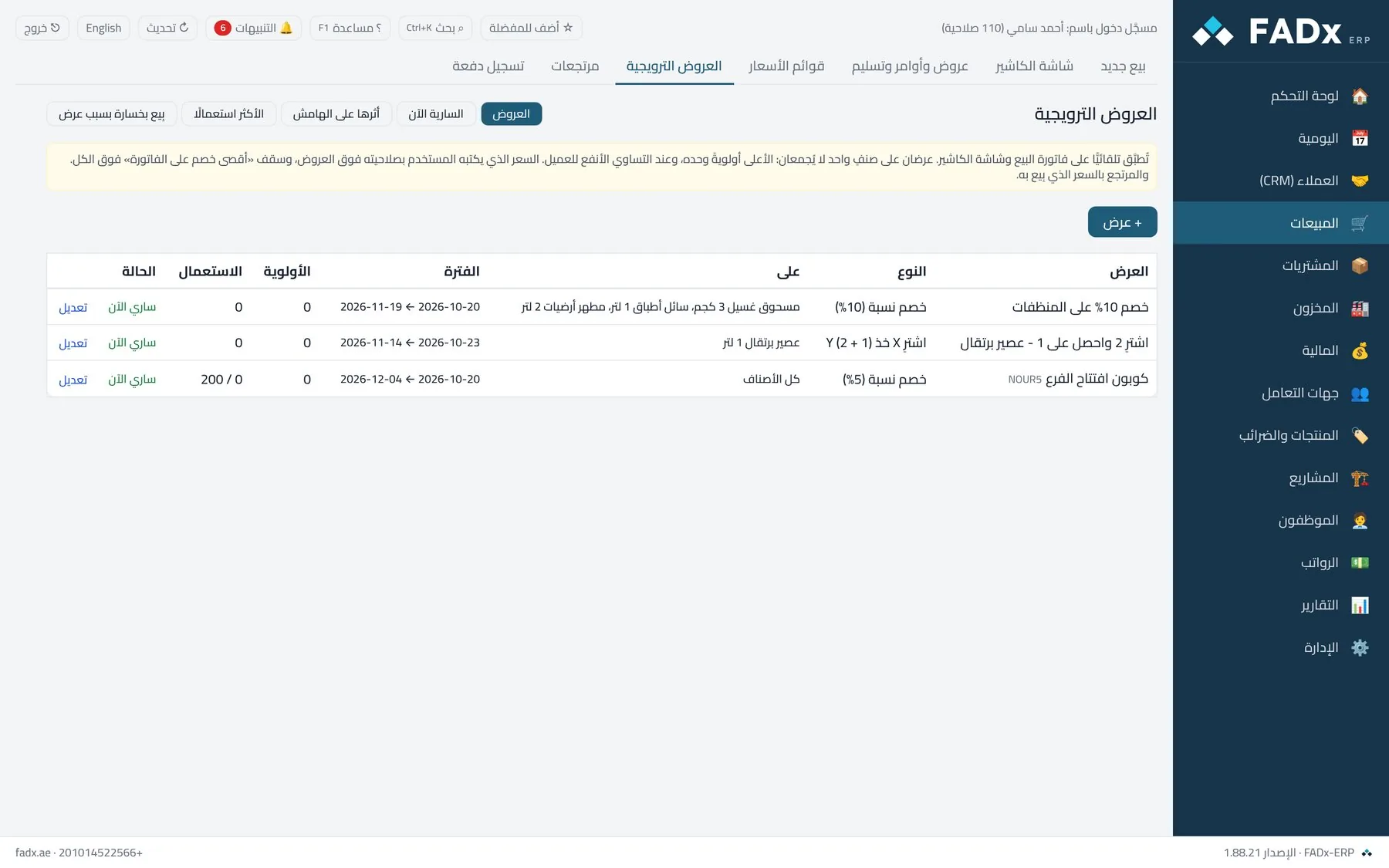
Modules
Fourteen modules — working as one
Point of Sale & Cashier
Sales & Orders
Purchasing & Supply
Inventory & Stocktaking
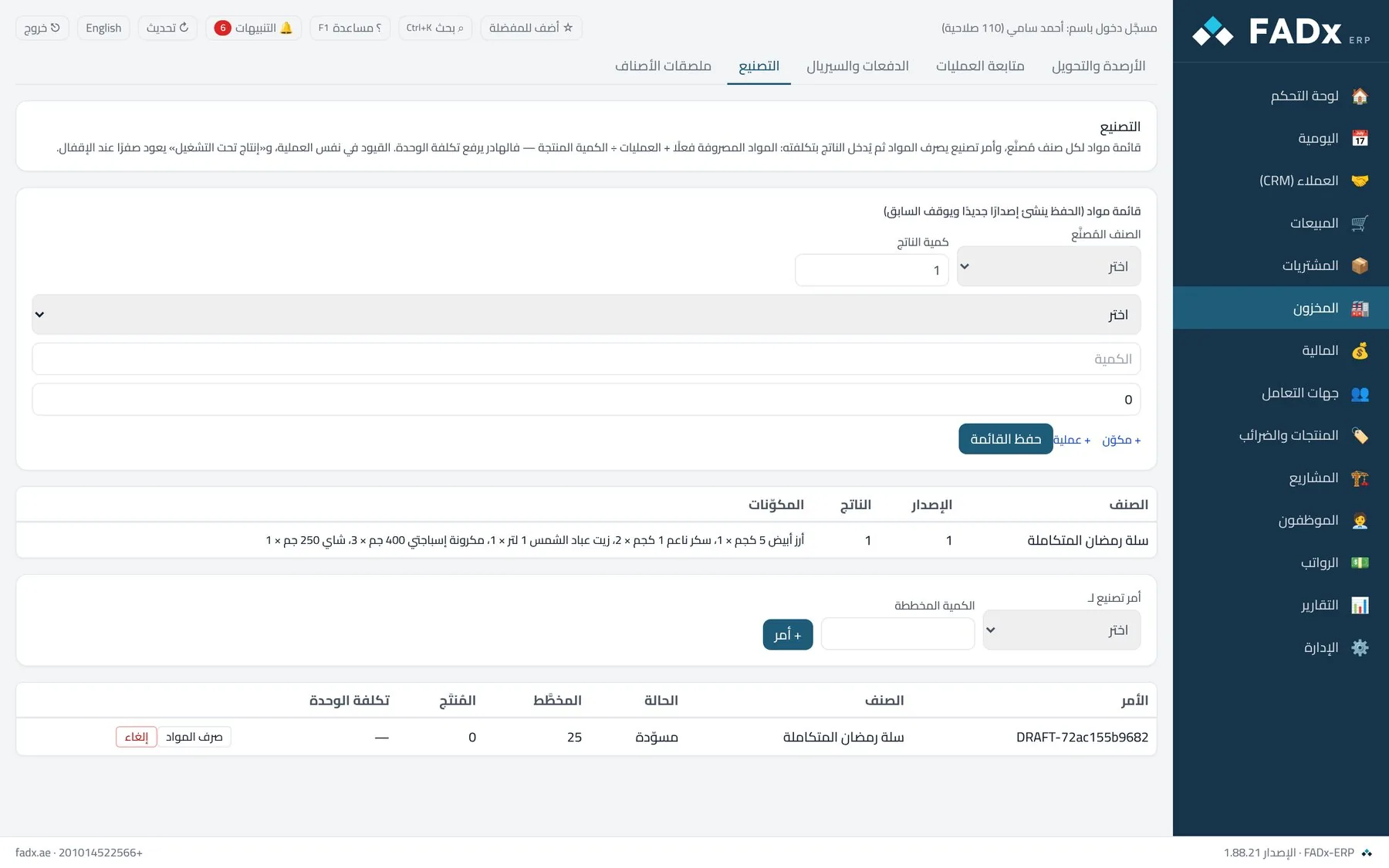
Manufacturing & Work Orders
Accounting & Ledgers
Treasury, Banks & Cheques
Payroll & HR
Projects & Contracting
Promotions & Price Lists
Reports
Permissions & Security
Business Partners & Tax
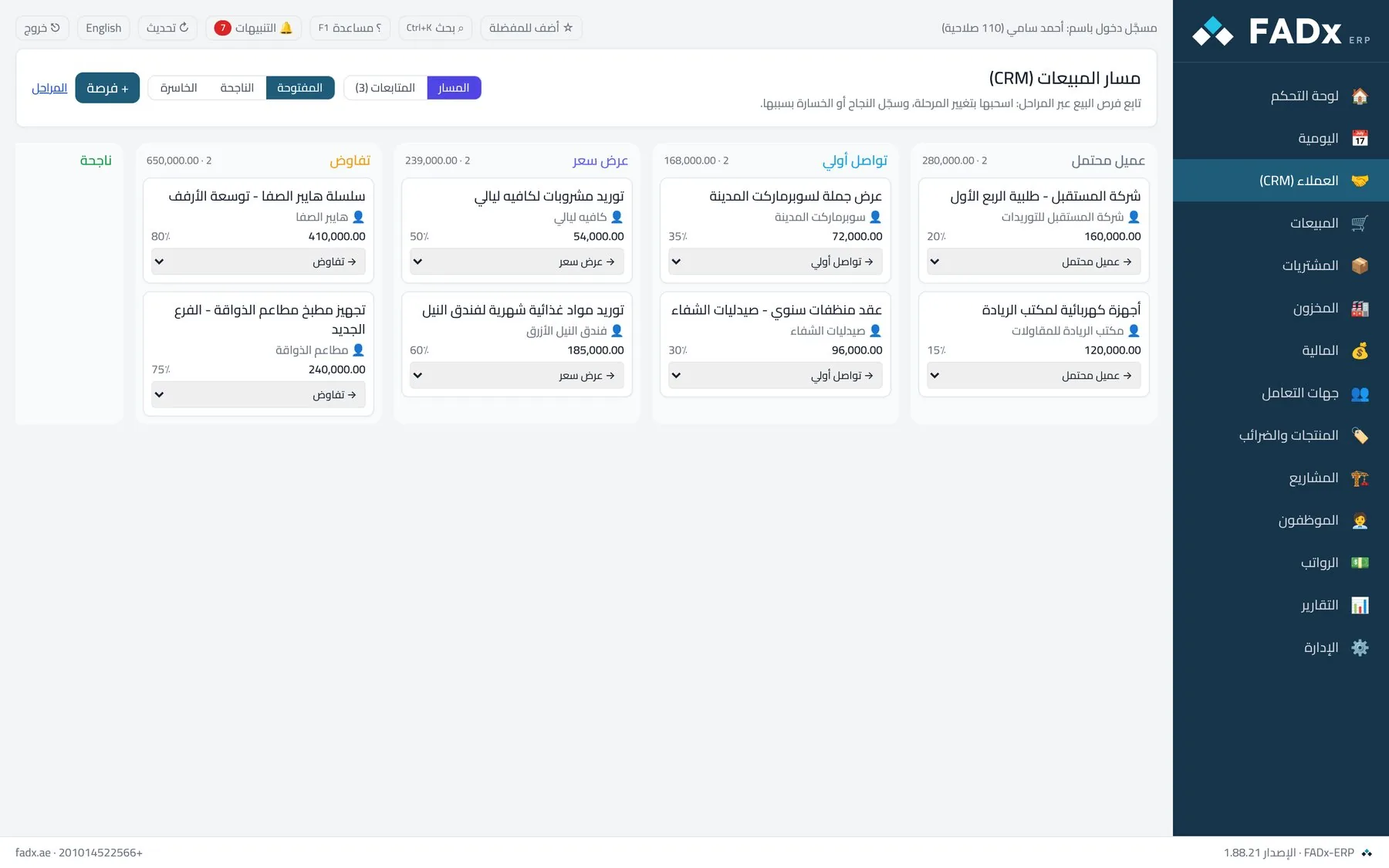
Customer Relationship Management (CRM)
Security & control
Your data stays yours — every action logged
Runs on your own machines and local network without requiring a connection, with fine-grained permissions that guard against error before fraud.
- Ready roles and 100+ permissions — a blocked screen never appears
- Full audit log: who created, edited or cancelled, and when
- Automatic backups on a daily or weekly schedule
- Terminals joined by code, plus a tablet server
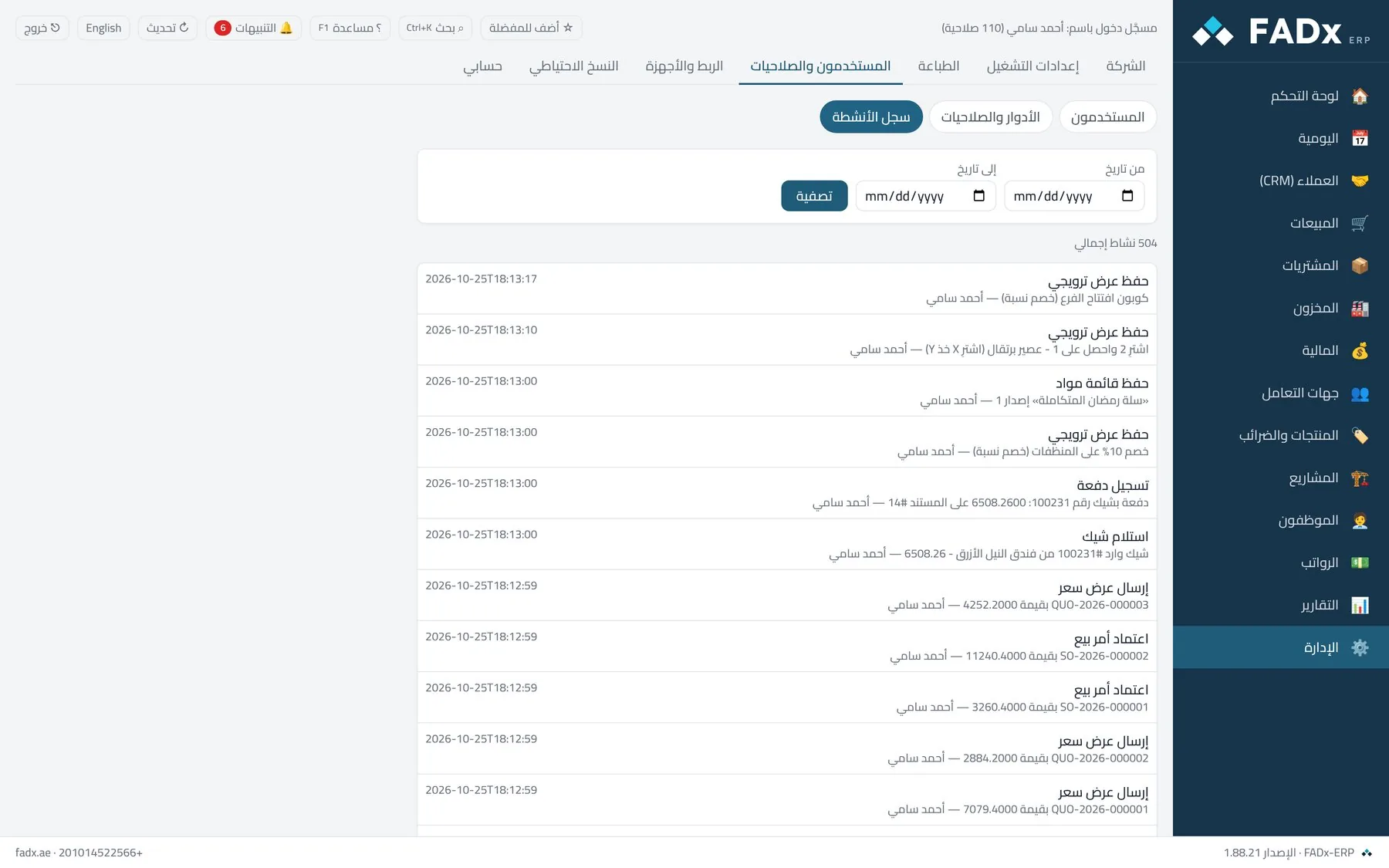
Built for your trade
One system — reshaped around your business
Supermarket & Retail
- Fast cashier screen and cash drawer
- Scale barcodes for meat, cheese and produce
- Automatic promotions and coupons
- Cash sessions per cashier
Wholesale & Distribution
- Price lists and customer credit limits
- Quotes, sales orders and delivery notes
- Debt ageing and due cheques
- Multiple warehouses and transfers
Contracting & Projects
- Profit per project: actual vs expected
- Work orders, technicians and site visits
- Expenses and payroll charged to the project
- Client collections per project
Manufacturing & Assembly
- Bills of materials with inputs and operations
- Work orders at actual cost
- Batches and expiry dates
- Material shortages before production starts
What sets it apart
Why choose FADx ERP?
Arabic from the ground up
Designed in Arabic, right to left — not a translation of a foreign product. An English interface is there for whoever wants it.
Honest automatic accounting
Every movement carries its entry, and a clear refusal replaces a wrong number. If a required setting is missing, the system tells you instead of producing a bad figure.
Easy for your staff
Each user sees only their own screens, F1 help on every screen, and Ctrl+K to reach any screen or report by name.
It grows with you
Start with the till and the stockroom, then switch on accounting, payroll and manufacturing when you need them — without changing systems.
Works without internet
Runs on your own machines and local network with no connection required — an internet outage does not stop the till.
Your data stays yours
The database lives on your machine, with automatic backups to a path you choose and a full audit log of every action.
Getting started
We start with you — step by step
- 1
Install & configure
We install the system and set up your company, branches and warehouses to match your business.
- 2
Migrate your data
We move items, customers and opening balances from Excel or your current system.
- 3
Train your team
We train each user on their own screens — the cashier on the till, the accountant on the ledgers.
- 4
Support & updates
Ongoing support and updates, with a backup taken before every upgrade.
FAQ
Questions we hear a lot
If yours is not here, message us on WhatsApp and we will answer.
Does it need an internet connection?
No. FADx runs on your own machines and local network without requiring a connection. An outage does not stop the till or block an invoice. Internet is used only for updates and remote support if you want it.
Where is my data stored?
The database lives on your machine, not on an external server, with automatic daily or weekly backups to a path you choose and a safe restore.
Do I need an accountant to run it?
No. The ledgers post themselves with every invoice and voucher, and the chart of accounts is ready on day one. Your accountant, if you have one, reviews and analyses instead of typing.
Can I migrate from Excel or another system?
Yes. We move items, customers, suppliers and opening balances as part of onboarding, whether they sit in Excel or in a system you use today.
How many machines can connect?
A main machine plus terminals joined by code on the same network, with a tablet server. The number depends on your plan.
Is the interface Arabic only?
The interface is Arabic right-to-left by design, with a full English interface alongside it. Each user picks their own language; invoices stay in Arabic.
Will it fit my specific trade?
You pick your business type during setup — retail, wholesale, contracting or manufacturing — and the system shows what you need and hides what you do not. You can change it whenever you like.
What happens after installation?
We train each user on their own screens and provide ongoing support and updates, taking a backup before every upgrade.
Try it free on your own data
Request a free trial and we will set the system up on your own business, with your own data — not a demo dataset.