
Chapter 38
Payroll, attendance & end of service
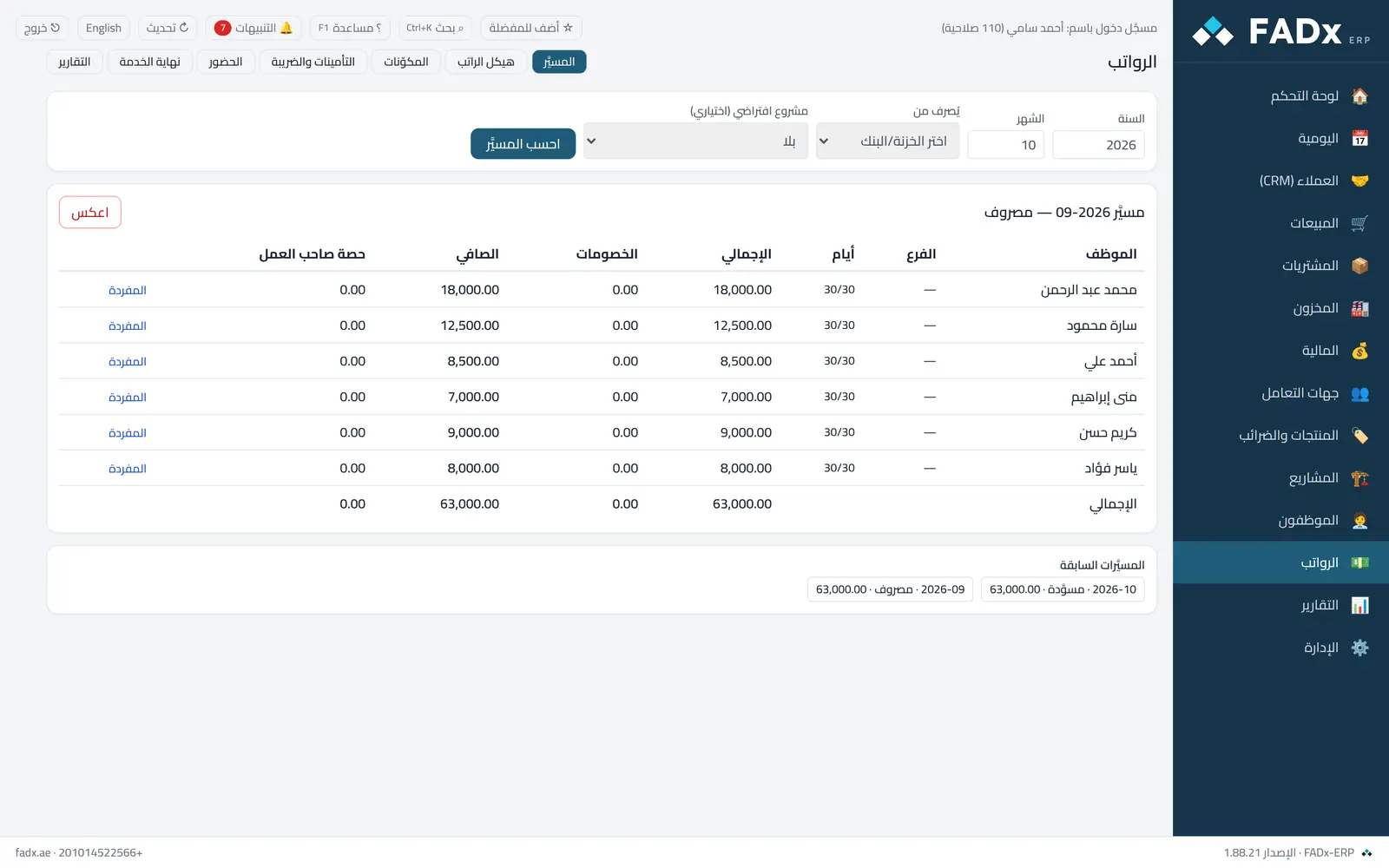
Prepare the monthly payroll run for every active employee and pay it on a single entry: earnings (basic and allowances), deductions (penalties and advance instalments), social insurance and income tax if enabled, then a payslip per employee to print or save as PDF. The cost is charged to the employee's branch and to the project set in their structure.
Statutory figures are data: insurance rates and caps and tax brackets are written by you with an effective date and updated when the law changes — the system never invents a number.
Attendance: a day with no record is not an absence. Lateness and overtime are computed from the default shift and affect pay only if you write an attendance rule into the salary structure and enable the deduct-and-pay option.
Common workflows
- 1
The salary structure
Pick the employee — basic comes from their file the first time — and add monthly allowances, deductions and the advance instalment. A pay change is a new line with an effective date.
- 2
The payroll run
Pick the month and the till → "Calculate" (a draft with no effect) → review the payslips → "Pay". It can be reversed and re-run.
- 3
Insurance and tax
Enable them and write the current rule (minimum and maximum insurable pay, employee and employer rates) and the annual tax brackets.
- 4
End of service
Write the rules (months of pay per year of service by service-length bands, a resignation factor, and payout of unused leave), then end the employee's service from the Employees screen, calculate the settlement here and pay it — outstanding advances are deducted from it.
Messages you may see — and what to do
- "Already paid — a month cannot be paid twice"
Reverse the run first if it is wrong. An employee paid through the older salary payment screen is excluded from the run.
- "No active insurance rule or tax brackets"
You enabled the calculation without an active rule for that month — the system does not invent a figure.
- "Payroll is in the base currency only"
Paying from a foreign currency till is not supported at this stage.
- A line already paid, or a later month already paid
A paid payslip never changes; make the change effective after the last paid month.
- "Configure the end-of-service rules"
No rule is effective on the service end date.
Question not covered here? Message us on WhatsApp and we will answer.
Ask on WhatsApp