
Chapter 23
Manufacturing
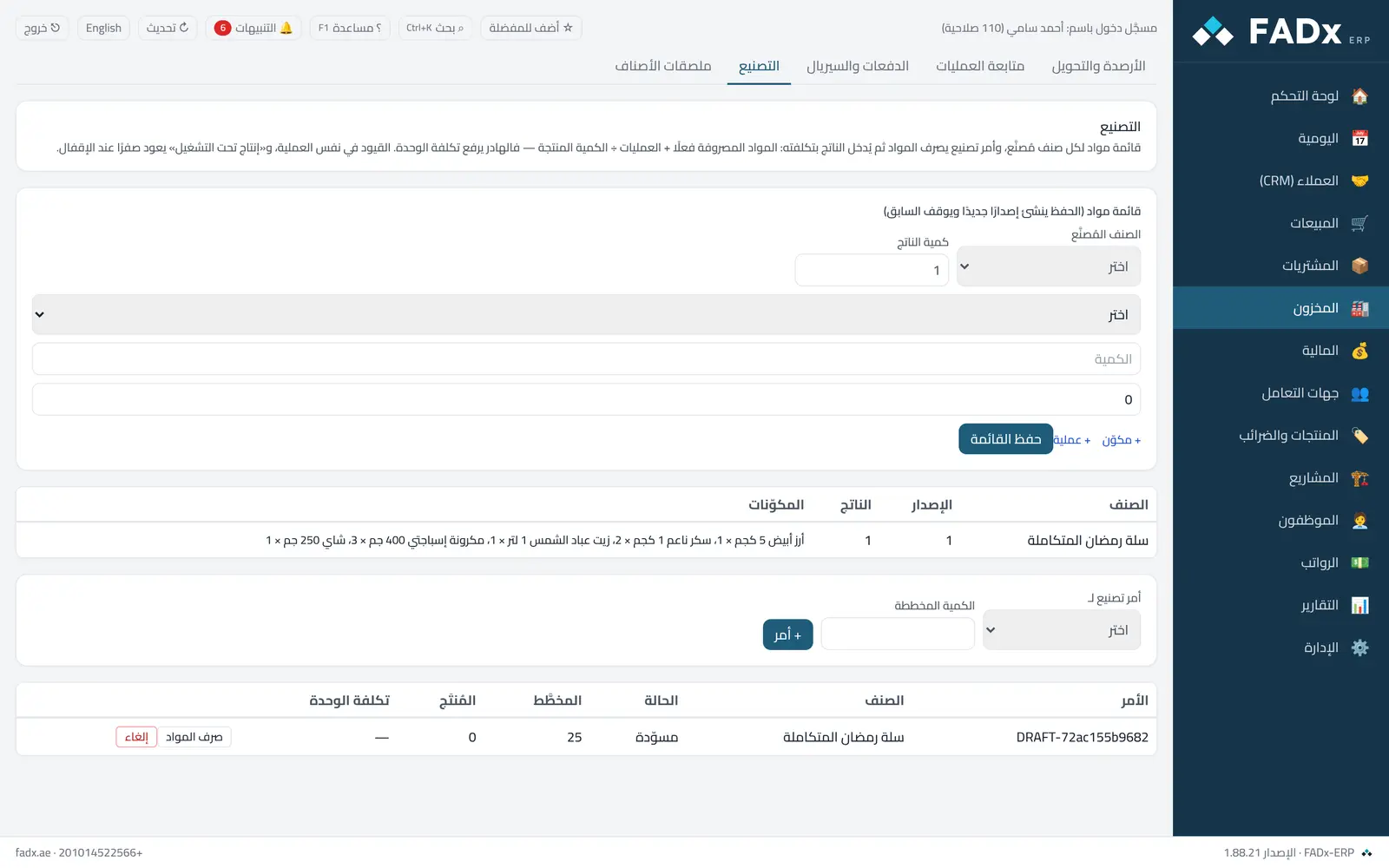
Define a bill of materials for each item you make (components, quantities, waste percentage and operations with their cost), then run work orders: the order issues materials from stock and receives the output at its actual cost. Entries post in the same operation.
Common workflows
- 1
The bill of materials
Pick the manufactured item and the output quantity, add the components with quantities (and waste if any) and the operations (minutes × hourly cost), then save. Each save creates a new version.
- 2
A work order
Pick the item and quantity, press "+ Order", then "Issue materials" when work starts.
- 3
Receiving the output
Enter the produced quantity and the waste, then press "Close" — unit cost equals materials issued plus operations, divided by the quantity.
Messages you may see — and what to do
- "Circular bill of materials"
An item cannot be a component of itself, directly or through an intermediate item.
- "Insufficient materials"
A component balance is below what is required (unless negative stock is allowed in settings).
- "Link WIP and absorbed manufacturing cost accounts"
Under account linking — manufacturing without an entry makes stock disagree with the ledger.
- Part of the output has been issued
An order whose output has been sold cannot be reversed.
Question not covered here? Message us on WhatsApp and we will answer.
Ask on WhatsApp