
Chapter 21
Balances, transfers & stocktaking
Item balances per warehouse, transfers between warehouses, and stock adjustments (surplus, shortage or damaged).
FADx ERP 1.88.31
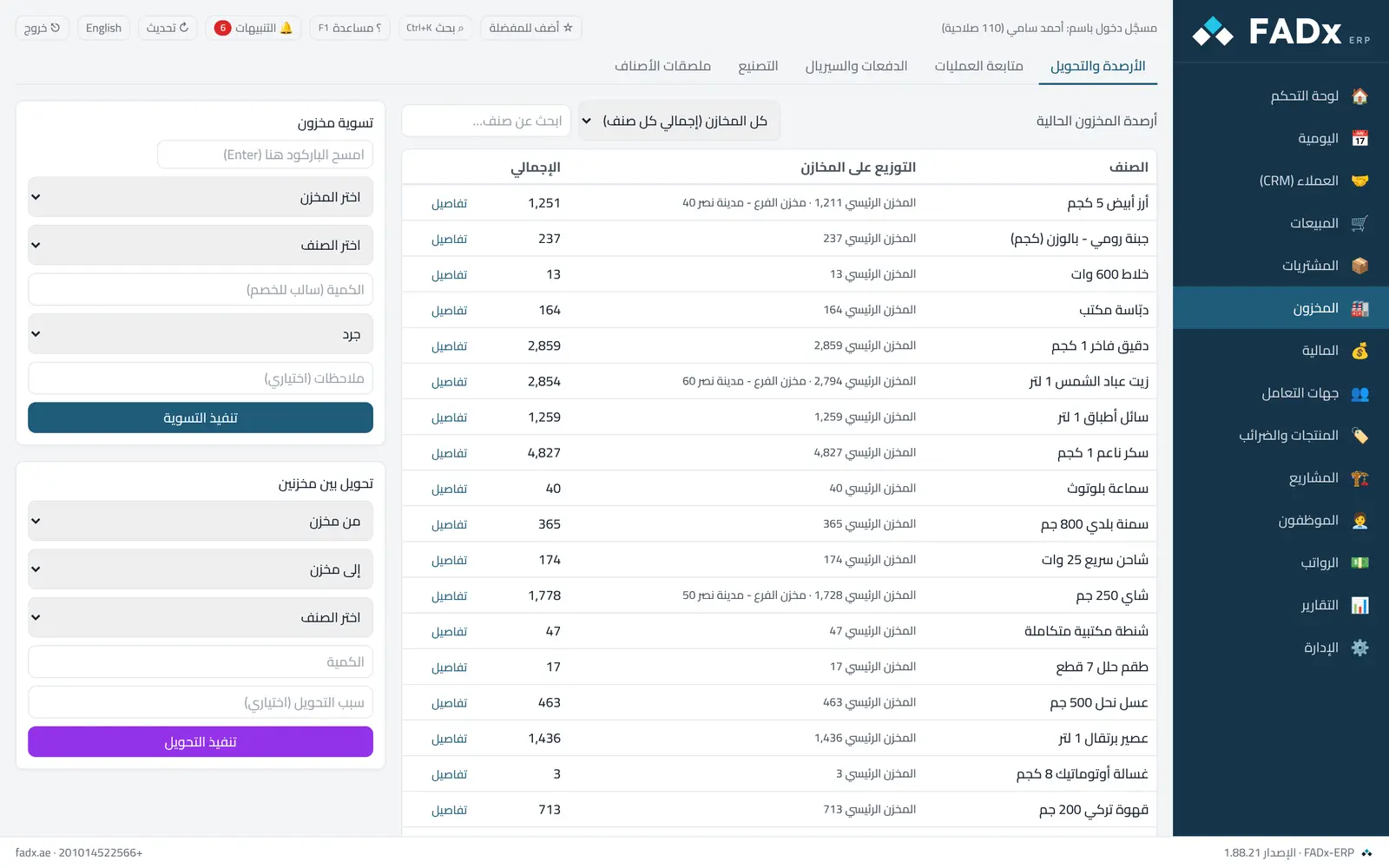
Common workflows
- 1
Check an item balance
Search for it and pick a warehouse or "all warehouses".
- 2
Transfer between two warehouses
Pick the sending and receiving warehouse and the quantity.
- 3
A stock adjustment
Enter the difference and its reason (shortage, surplus, damaged…) — the reason is mandatory and appears in reports.
FADx ERP 1.88.31
Messages you may see — and what to do
- "A service has no stock"
Service-type items cannot be transferred or adjusted.
- Transferring to the same warehouse
Choose two different warehouses.
- Negative stock confirmation
If the adjustment would drive the balance below zero, the system asks for explicit confirmation.
Question not covered here? Message us on WhatsApp and we will answer.
Ask on WhatsApp