
Chapter 42
E-invoicing — linking to ZATCA
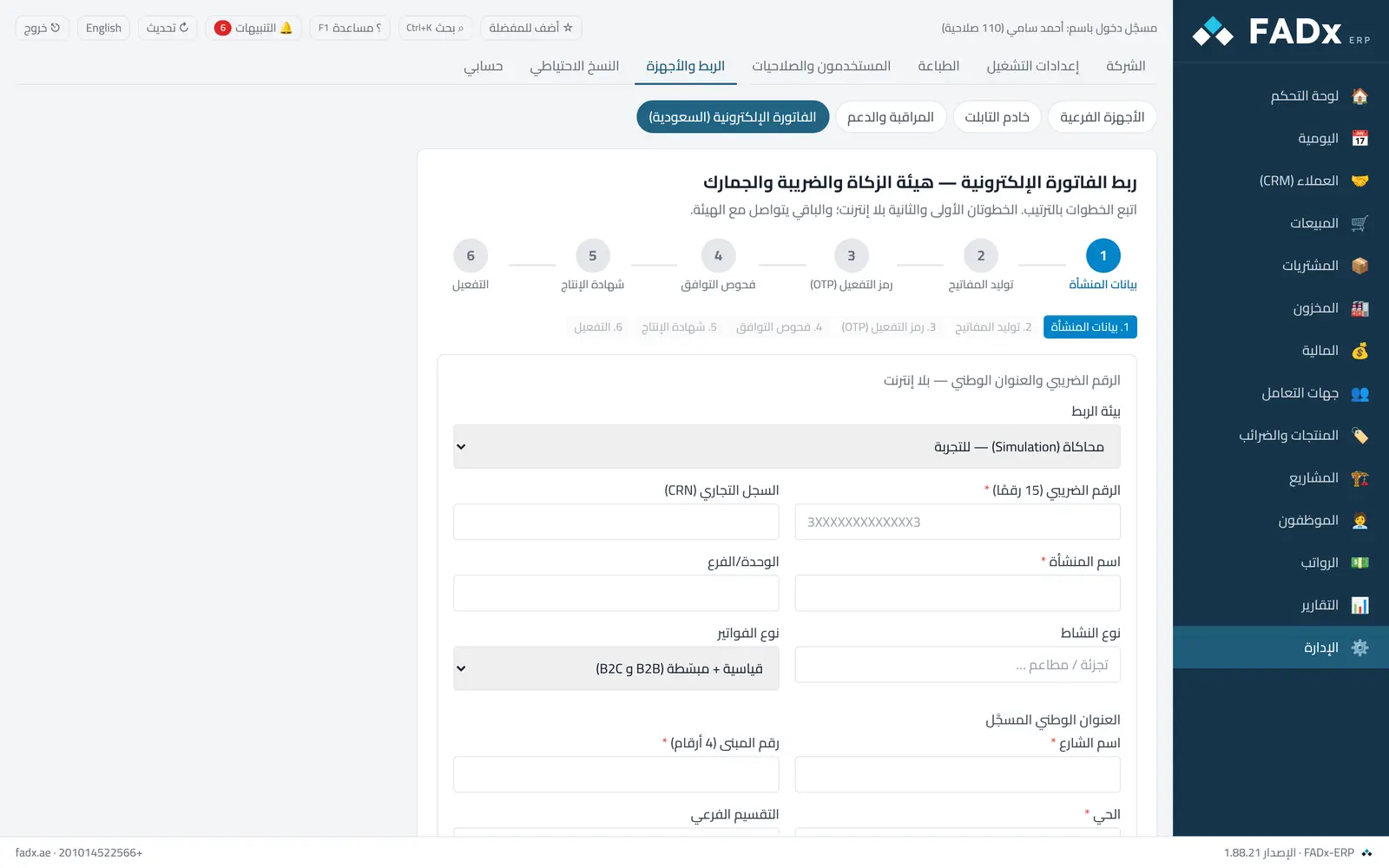
For establishments in Saudi Arabia: “Admin → Linking and devices → E-invoicing” opens a six-step wizard linking your establishment to ZATCA — establishment details, key generation, the activation code, compliance checks, the production certificate, then activation. The first two steps are offline.
Common workflows
- 1
Start with simulation
Pick the simulation environment to test before production, and fill in the VAT number, establishment details and national address.
- 2
Generate the keys
The second step creates the signing keys locally on your machine.
- 3
Enter the activation code
From ZATCA’s Fatoora portal, then follow the compliance checks and production certificate.
- 4
Activate
Once the steps pass, the link is ready and invoices begin going out per the sending behaviour setting.
Question not covered here? Message us on WhatsApp and we will answer.
Ask on WhatsApp