
Chapter 5
Dashboard
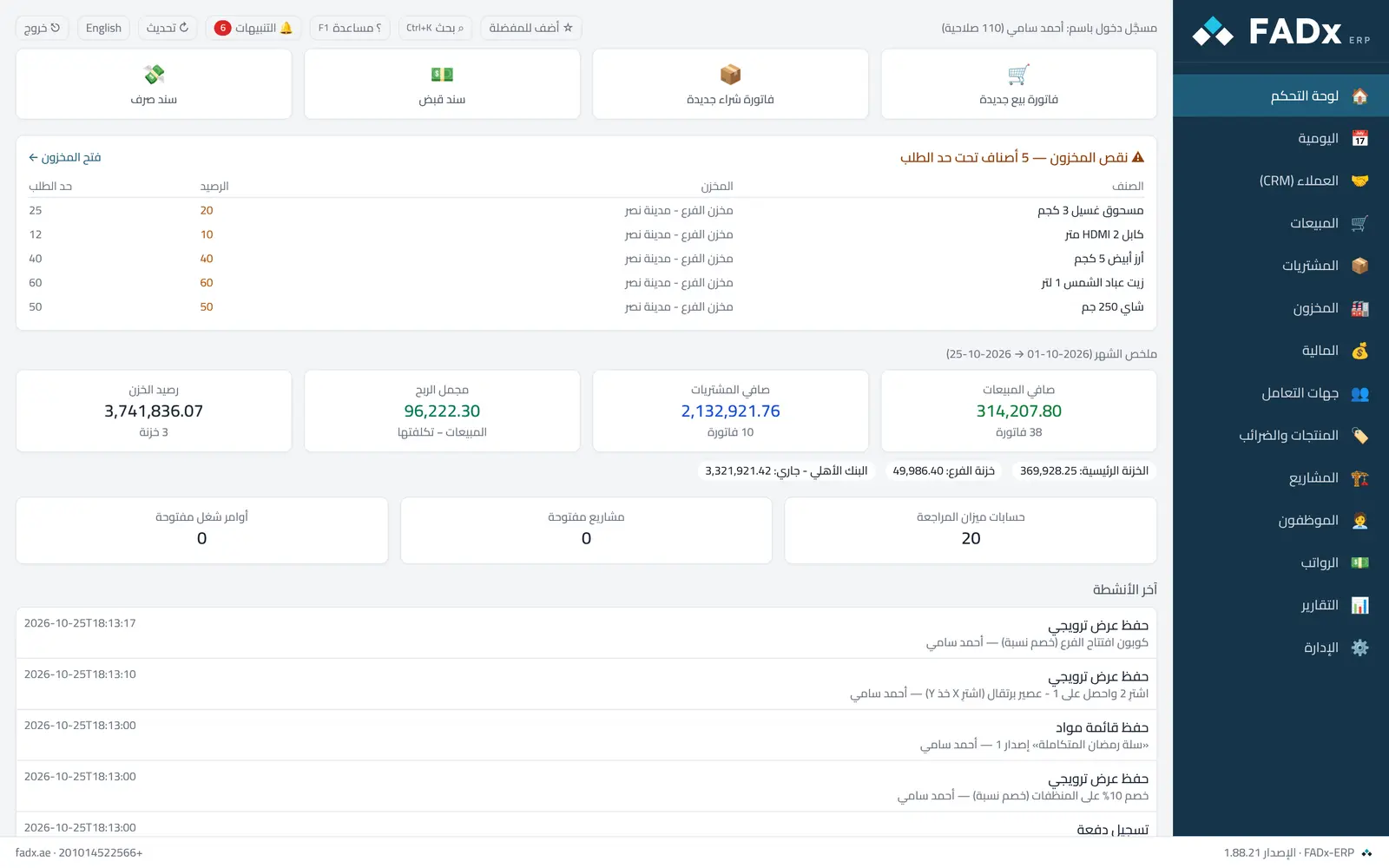
Your day summarised in one place: today's sales, what was collected, open invoices, items nearing depletion, and quick buttons for what you do most. The buttons can be re-ordered by dragging, and the order is yours alone.
Common workflows
- 1
A quick sale
Press "New sale" from the buttons or from the side menu → Sales.
- 2
See what stock is low
The "Low stock" card lists the items that have reached the alert level.
- 3
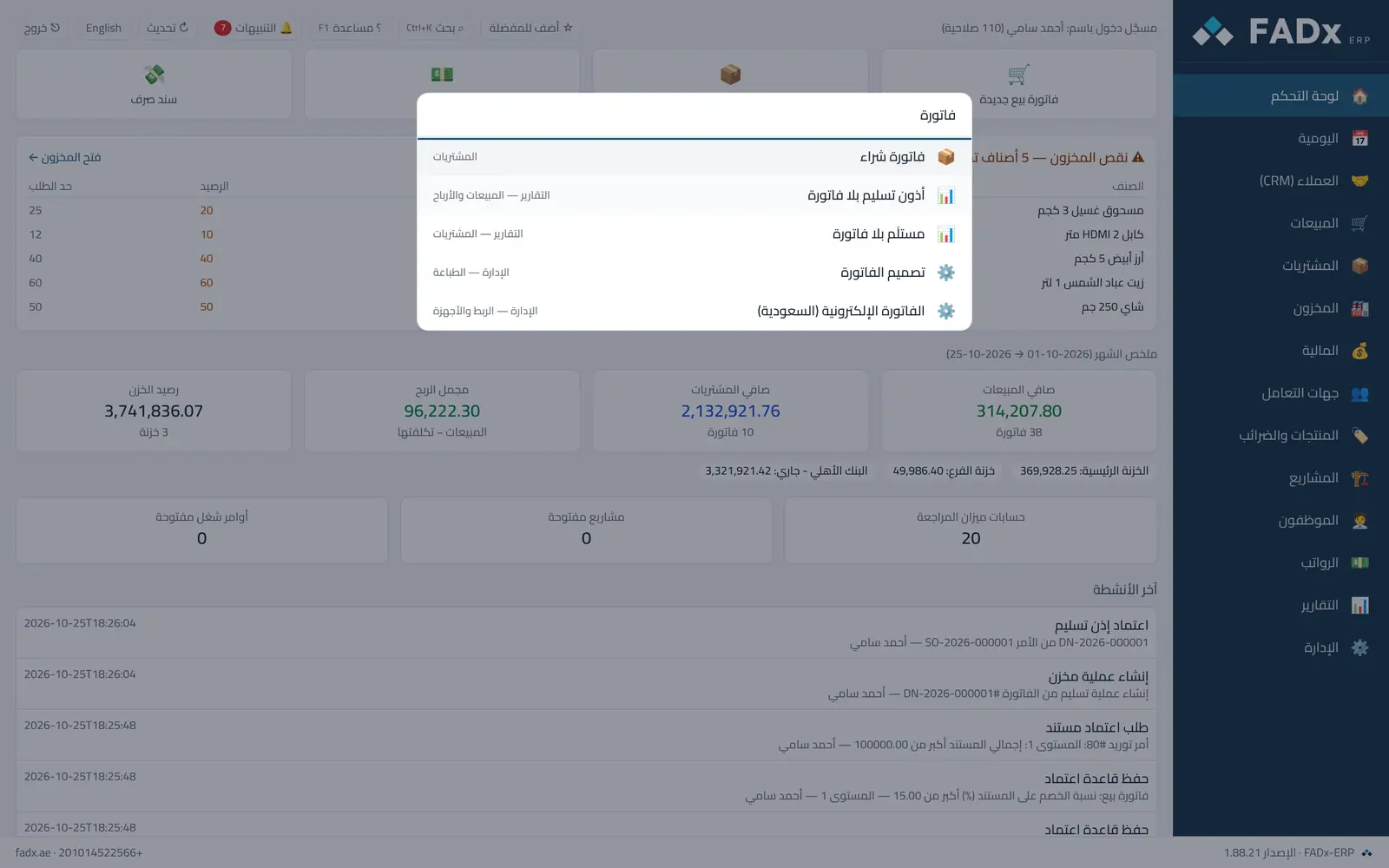
Reach any screen or report by name
Press Ctrl+K and type part of the name.
Messages you may see — and what to do
- A button is missing
Screens are hidden from anyone without permission. Ask your manager to add the permission to your role under Administration → Users and permissions.
- "Trial version — read only"
The trial period has ended — viewing and printing remain, and a licence file is needed to record again, under Administration → Company → Licence.
Question not covered here? Message us on WhatsApp and we will answer.
Ask on WhatsApp