
What you get
Leave types and permissions
Annual, sick, unpaid, other leave, and permission to arrive late or leave early.
Balances in working days
One annual balance for the whole company or a balance per employee, on the calendar year.
Carry-over with your cap
What is left from last year carries over up to the limit you set, for one year only. Out of the box, nothing carries over.
Direct manager first
Team requests land on “My team”. Without a manager, or if the manager’s account is inactive, they go to HR, and a manager can’t overturn an answer HR has given.
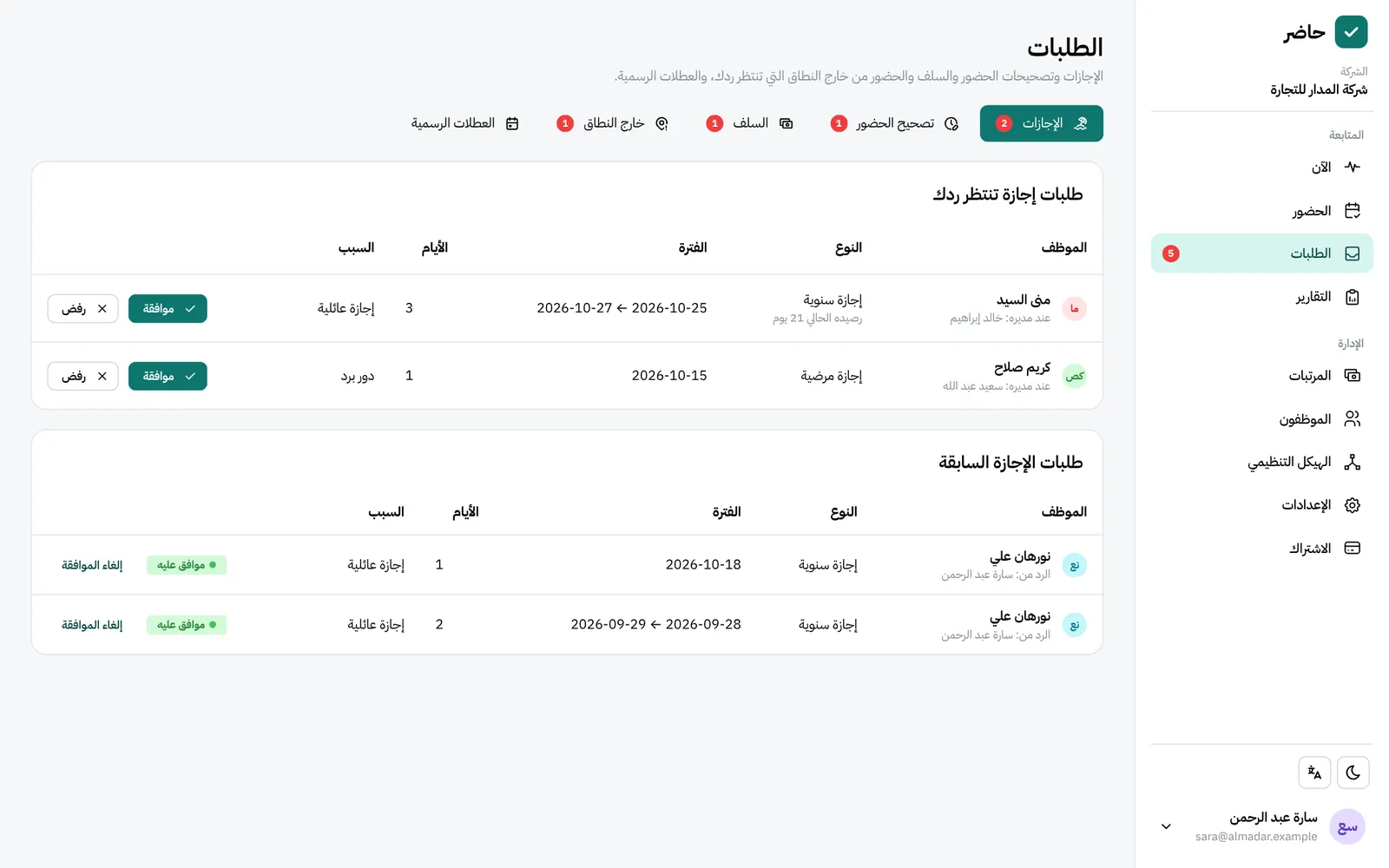
Every request on one page
“Requests” gathers leave, attendance corrections, advances and outside-area check-ins, each showing which manager has it. Advances are answered by HR only.
Telegram notifications
Admins who link Telegram get a message for each request, and the employee gets one with the answer.
How it works
Full walkthrough in the guide- 1 Set the annual balance and the carry-over cap, and add the year’s public holidays.
- 2 Choose each employee’s direct manager in their details.
- 3 The employee requests leave or a permission on “My leave”, and sees the balance and who has the request.
- 4 The manager approves or rejects on “My team”, or HR answers from “Requests”.
- 5 Approved leave shows on the “Live” page and in “Attendance → Month summary”.
Common questions
Can unused leave carry over to next year?
Yes, up to a maximum you choose and for one year. The default is no carry-over, so set it if your policy allows it.
Do public holidays come out of the leave balance?
No. Public holidays never count as absence and are not taken from the balance; add them once at the start of each year.
Who approves a leave request?
It starts with the direct manager, and HR can see and answer it. An approval won’t go through if it exceeds the balance, overlaps other leave or falls in an approved month.
What if someone forgot to check in or out?
They ask for a correction from “My attendance” for any day in the last 60 days, with at most 10 open at once, and approval fixes the day automatically.
More in FADx Hader
Try Hader at your company
We activate a free trial account for your company and send you the sign-in link — your staff check in from a browser, a phone or a fingerprint terminal.