
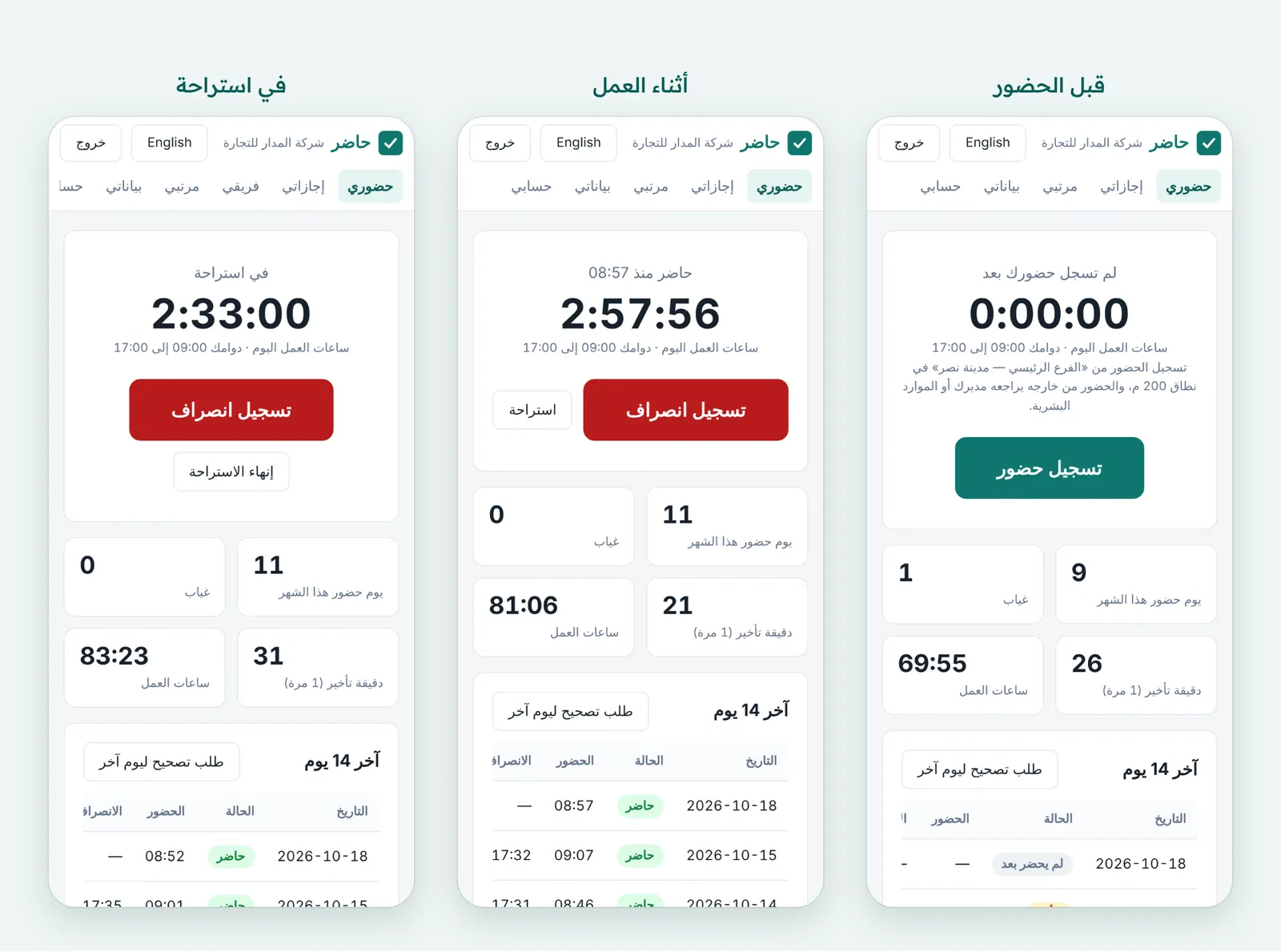
What you get
An area for each branch
A point on the map from a Google Maps link and a radius of 20 to 5,000 m. Being on the office network counts as inside.
Three rules for outside the area
“Allowed, then reviewed” sends it to the direct manager or HR; “Refused” shows the employee the distance and the reason; “No check” suits a branch not set up yet.
Reviewed in one place
Outside check-ins wait under “Requests → Outside the area” and on the manager’s “My team” page. Rejecting one deletes it with its activity and screenshots.
Only the location you need
Hader keeps the distance from the branch and the result, not coordinates, unless you turn on “Location recording” in Settings.
On the home screen
From the phone’s browser, “Add to Home Screen” gives Hader its own icon, like any app.
Check in from Telegram
Once linked in “My account”, employees check in and out from Telegram, and the bot reminds them 5 minutes into their shift if they haven’t.
How it works
Full walkthrough in the guide- 1 Add the branch in Settings → “Branches”: name, address, Google Maps link, radius, and the office network if there is one.
- 2 Choose what happens to a check-in from outside the area, then set each employee’s branch in their details.
- 3 The employee opens the Hader link on their phone, then reads and accepts the monitoring notice, which shows their branch and its area.
- 4 They press “Check in” and let the browser know their location, then “Check out” at the end of the day.
- 5 You follow who is in and who is late on the “Live” page, and review outside check-ins from “Requests”.
Common questions
Do employees need to install an app on their phone?
The phone’s browser is enough: they open the Hader link their company sent and sign in with their email. “Add to Home Screen” in the browser menu then puts Hader next to their other apps.
What happens if someone checks in away from the branch?
It depends on the branch setting. With “Allowed, then reviewed” (the default) it is recorded and waits for the direct manager or HR; with “Refused” it is not recorded and the employee sees the distance and reason.
Does Hader store the employee’s location?
The location is asked for at check-in to work out the distance from the branch, and only that distance and the result are kept. Coordinates are stored only if the company turns on “Location recording”.
Does it suit remote staff or people in another country?
Yes. An employee with no branch can check in from anywhere, and their day runs on the company’s time zone even from another country.
More in FADx Hader
Try Hader at your company
We activate a free trial account for your company and send you the sign-in link — your staff check in from a browser, a phone or a fingerprint terminal.