
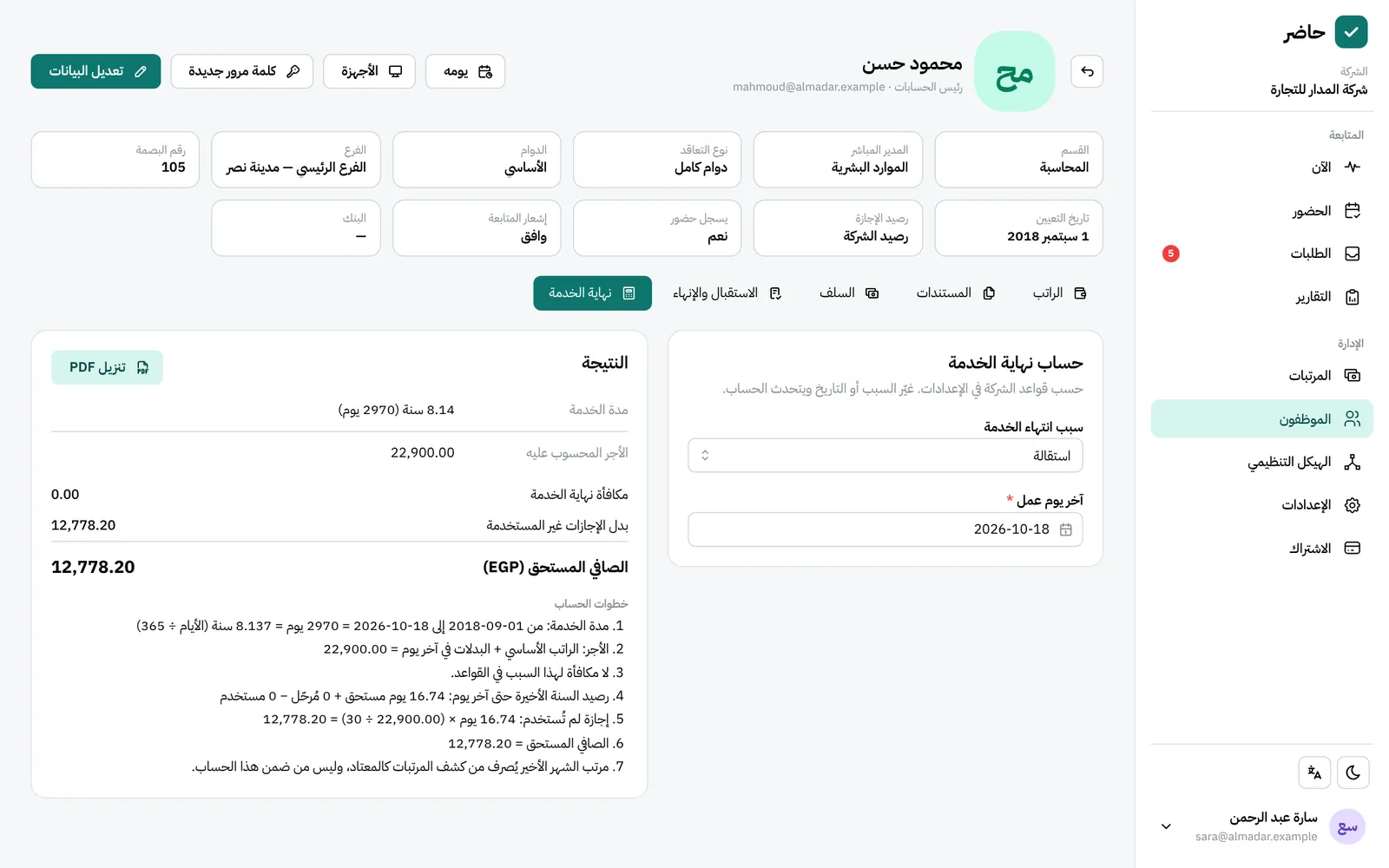
What you get
Your country’s rules by default
Saudi Arabia: Labour Law, articles 84 to 88. Egypt: Labour Law 14 of 2025. The defaults follow the subscription country.
Reason and last day
Pick why employment ended and the last working day; the calculation is built on both.
Leave and advances in one settlement
Unused leave pay is added, advances still owed are taken off, and the net appears on one line.
A PDF of every step
Each step is written out and numbered, so you can see where every amount came from, and the whole report downloads as a PDF.
Rules that match your policy
Adjust them in Settings → “End-of-service rules” to fit your company’s policy, and go back to the defaults with one button.
Offboarding tasks
A task template for HR, the manager or the employee, due a set number of days from the last working day. Everyone finds theirs in “My tasks”.
How it works
Full walkthrough in the guide- 1 Review the rules once in Settings → “End-of-service rules”, and adjust them if your policy differs.
- 2 From the employee’s “Salary” button, choose “End of service”.
- 3 Set the reason employment ended and the last working day.
- 4 Check the result: the award, unused leave pay, outstanding advances and the net.
- 5 Download the step-by-step PDF and work through the offboarding checklist.
Common questions
How do I calculate a leaver’s gratuity in Hader?
You don’t type figures in: Hader calculates it inside the system from the employee’s records once you choose the reason and last day under “End of service”. It is not a public calculator for people outside your company.
Is the calculation guaranteed to match the law?
The default rules come from published summaries of the Saudi Labour Law (articles 84 to 88) and Egypt’s Labour Law 14 of 2025. Review them with your legal adviser before relying on them, and adjust them if needed.
Are advances deducted from the final settlement?
Yes. Whatever the employee still owes on advances comes off the award plus leave pay, and what remains is the net.
Can employees see their expected gratuity?
Yes. “My pay” shows them an end-of-service estimate, next to their salary structure and payslips.
More in FADx Hader
Try Hader at your company
We activate a free trial account for your company and send you the sign-in link — your staff check in from a browser, a phone or a fingerprint terminal.