
What you get
No PC in the loop
The terminal talks to Hader’s server directly over the internet; nothing is installed on any computer.
Bound to your office
Its first connection must come from the internet connection you registered it from, within 24 hours. Tie it to the office IP and a connection from anywhere else is refused.
Unknown PINs are kept, not lost
Punches with a PIN no one has wait under “Terminal PINs with no employee”. Pick the owner and they count from the first day.
Missing punches flagged
A check-in with no check-out shows under “Missing punches”. Fix it from the employee’s day; every change goes to the “Change log” with the old time.
Punch rules that avoid double counts
Two punches within two minutes count as one, and a punch at dawn belongs to the night shift that started before it.
Terminal offline? Use USB
Copy attlog.dat from the terminal to a USB stick and upload it on the same “Fingerprint terminals” page.
How it works
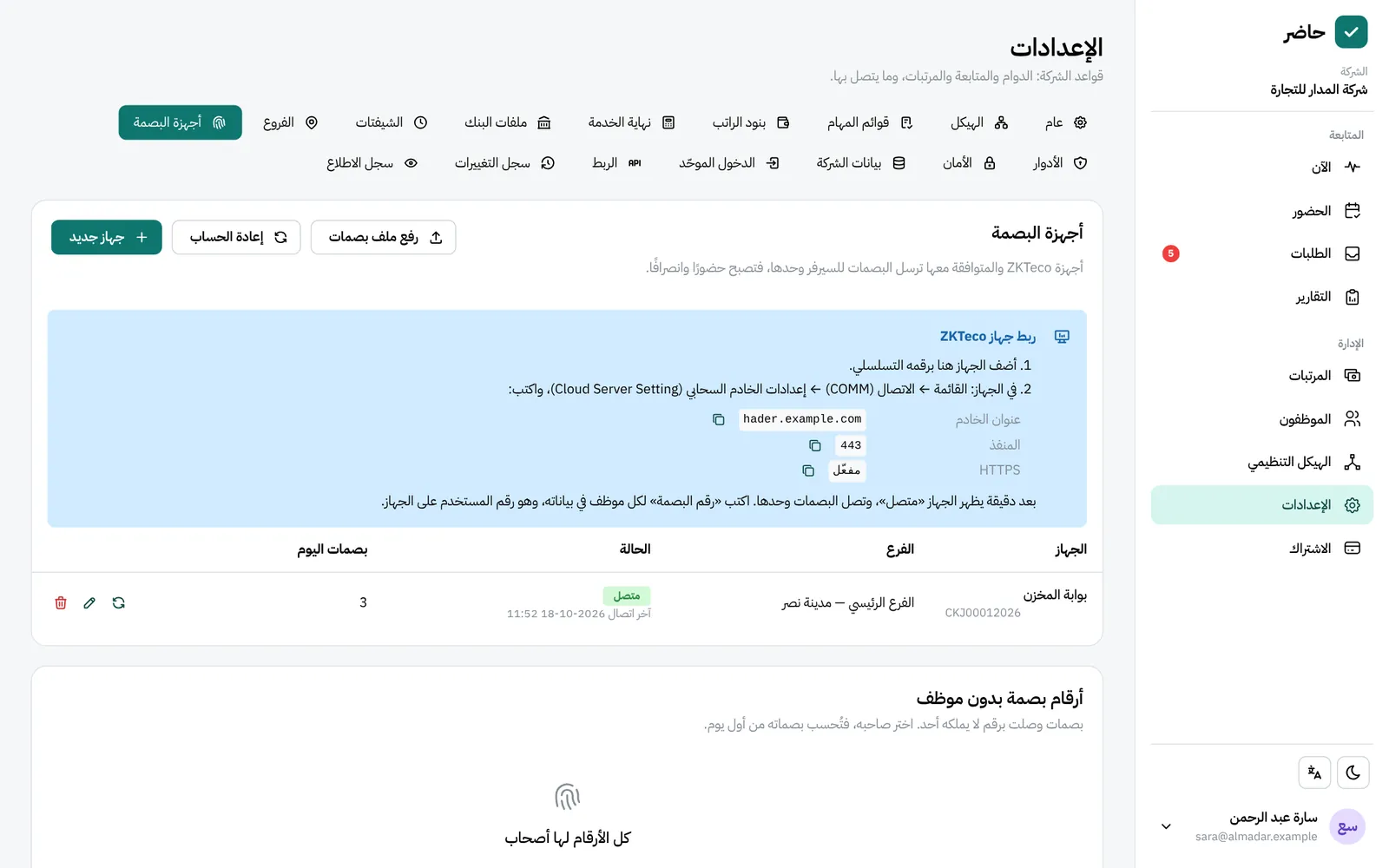
Full walkthrough in the guide- 1 In the HR app, open Settings → “Fingerprint terminals” and register the device by its serial number.
- 2 On the device, go to Menu → COMM → Cloud Server Setting and enter the server address and port shown on the page.
- 3 Let the device make its first connection from the same office internet you registered it from, within 24 hours.
- 4 Enter each employee’s fingerprint PIN in their details: it is their user number on the device.
- 5 Follow punches in each employee’s day, and check “Missing punches” and “Terminal PINs with no employee” on the same page.
Common questions
Does the fingerprint terminal work without a PC in the office?
Yes. ZKTeco and compatible terminals send punches to Hader by themselves over the internet, so no office computer has to stay on and nothing is installed on one.
Which fingerprint terminals work with Hader?
ZKTeco terminals and compatible ones. The connection is set from the device menu: COMM, then Cloud Server Setting.
What if the terminal has no internet connection?
Take the attlog.dat punch file off the device on a USB stick, then upload it from Settings → “Fingerprint terminals” in the HR app.
What happens to punches if the subscription ends?
After a paid subscription and its grace period end, the account turns read-only and no data is lost. Once you pay, punches that arrived in the meantime become attendance.
More in FADx Hader
Try Hader at your company
We activate a free trial account for your company and send you the sign-in link — your staff check in from a browser, a phone or a fingerprint terminal.